
Naabu is an open-source port scanning tool that helps penetration testers and security researchers discover open ports on a target host or network. It helps security professionals identify open ports on a target system and understand which network services are accessible. There are several port scanning tools available for this purpose, and one of the popular options is Naabu.
It is a fast and lightweight port scanning tool developed by ProjectDiscovery. It is written in the Go programming language and is designed to identify open ports on hosts quickly and reliably. It supports SYN and CONNECT scans and can be integrated with other security tools such as Nmap for additional service discovery.
In this tutorial, we will learn how to install and use Naabu on Kali Linux 2026.2 and explore some useful commands for scanning ports.
You can also download it from its official GitHub repository: https://github.com/projectdiscovery/naabu
Main Features of Naabu
Some important features of the Naabu port scanning tool include:
- Fast port scanning: Performs high-speed SYN and CONNECT scans to identify open ports.
- Lightweight: Optimized to use system resources efficiently.
- Multiple input formats: Accepts hostnames, IP addresses, and CIDR ranges.
- Duplicate host handling: Automatically handles duplicate hosts when scanning multiple subdomains.
- Nmap integration: Supports integration with Nmap for additional service discovery.
- Multiple output formats: Supports JSON, file-based, and standard output formats.
- Pipeline support: Supports piped input and output, making it easier to integrate Naabu into automated security testing workflows.
How to Install Naabu on Kali Linux
In this tutorial, we are installing Naabu on Kali Linux 2026.2.
Step 1: Open the terminal in Kali Linux and type the following command: naabu
Press Enter. If Naabu is not installed and your Kali environment offers the package installation prompt, follow the displayed instructions.
Step 2: If prompted to install the package, type y and press Enter.
Step 3: Enter your user password when requested and press Enter.
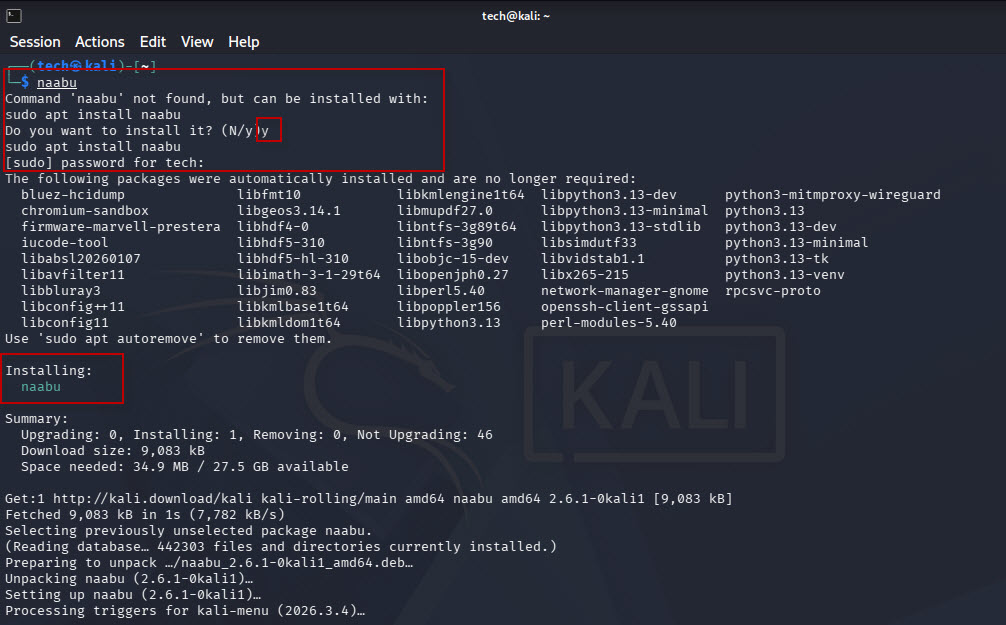
Once the installation is complete, Naabu will be available on your Kali Linux system.
You can also install it using the official installation instructions available in the Naabu GitHub repository.
How to Use Naabu in Kali Linux
Let’s explore some basic and useful Naabu commands that you can use during port scanning and penetration testing.
1. Update Naabu
To upgrade the installed Naabu package through Kali’s APT package manager, use:
sudo apt update
sudo apt upgrade naabu
Alternatively, if you installed a compatible version using the Go-based installation, you can try updating it with:
naabu -update2. Check Naabu Version
To check the currently installed version of Naabu, execute:
naabu -version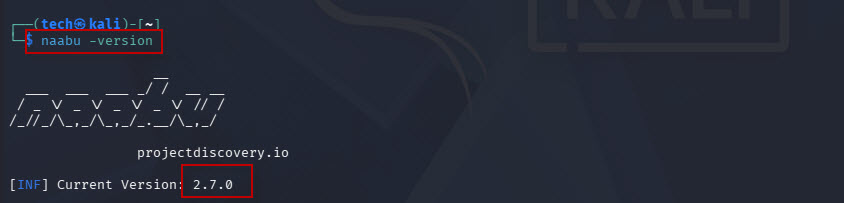
This command displays the installed version information.
3. Display Help and Available Options
To view the help menu and check all available commands and options supported by Naabu, use the -h option.
naabu -h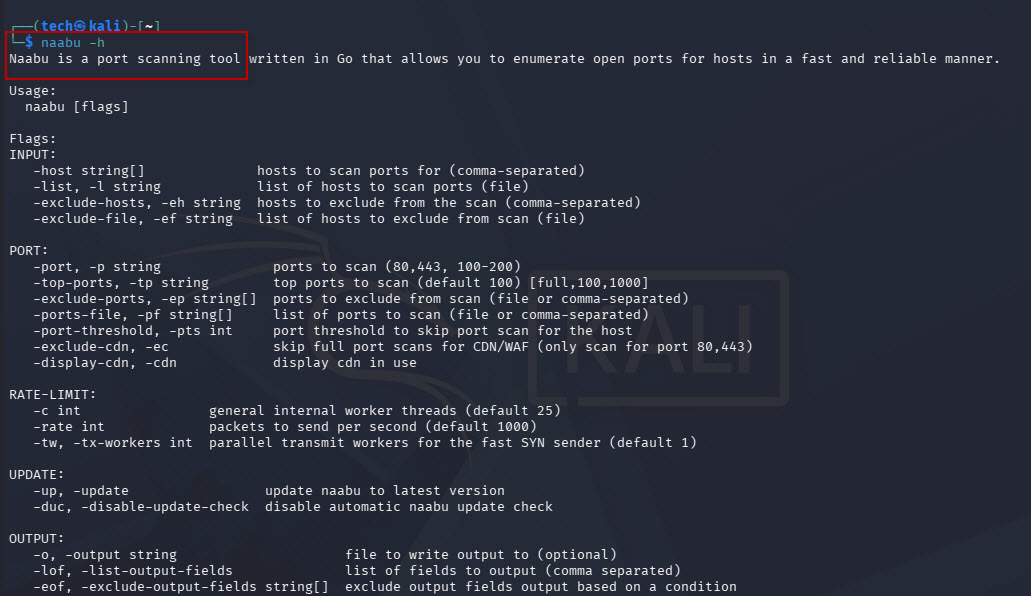
This command displays the available flags, scanning options, and usage instructions for the Naabu port scanning tool.
4. Scan Ports on a Host
To perform a basic port scan on a target host, use the -host option followed by the domain name or IP address.
naabu -host scanme.nmap.org
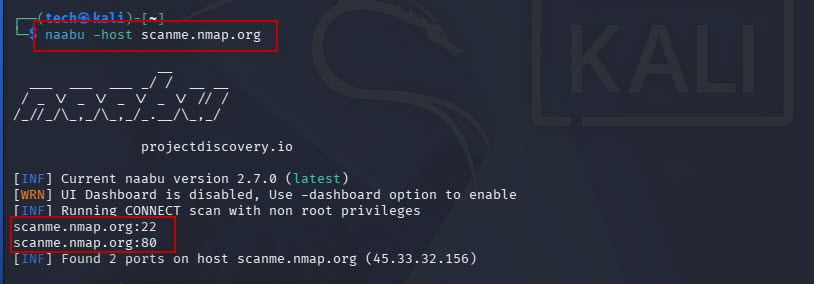
This command scans the target and displays the open ports identified by Naabu.
5. Scan Specific Ports
If you want to scan only particular ports instead of scanning the default port list, use the -p option.
naabu -p 80,443 -host scanme.nmap.org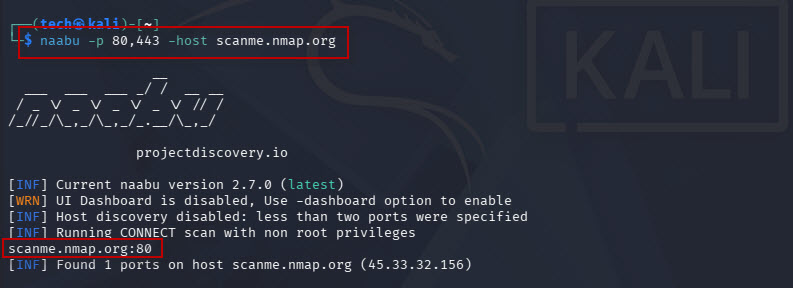
This command checks ports 80 (HTTP) and 443 (HTTPS) on the target host.
You can specify multiple ports by separating them with commas.
6. Scan Top 100 Ports
Similar to Nmap, Naabu allows you to scan commonly used ports. You can use the -top-ports option to specify how many top ports you want to scan.
naabu -top-ports 100 -host scanme.nmap.org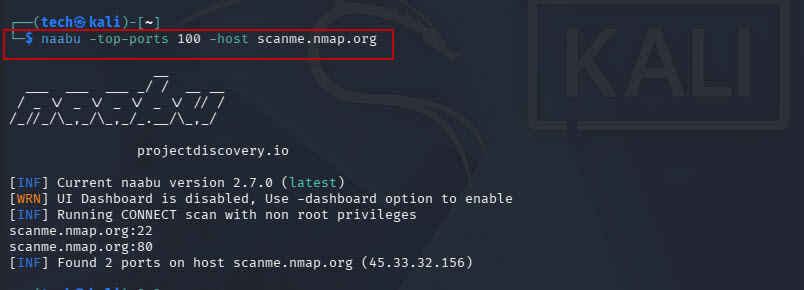
This command scans the top 100 commonly used ports on the target.
7. Scan All Ports
If you want to scan all TCP ports instead of a limited selection, use -p –.
naabu -p - -host scanme.nmap.org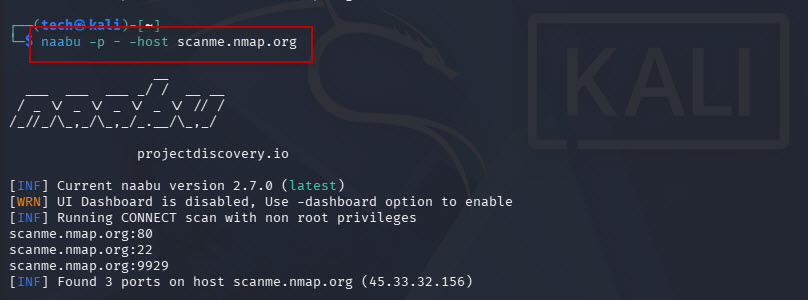
This command attempts to scan all 65,535 TCP ports on the specified host. Scanning all ports may take longer depending on network conditions and scanning speed.
8. Exclude Specific Ports
Sometimes, you may want to exclude certain ports from a scan. Naabu provides the -exclude-ports option for this purpose.
naabu -exclude-ports 80,443 -host scanme.nmap.org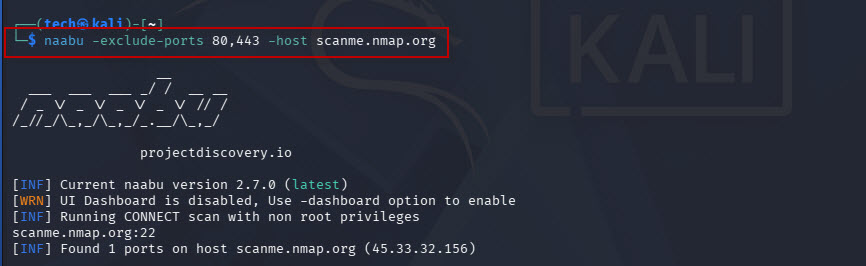
This command excludes ports 80 and 443 from the scan.
9. Scan Multiple Hosts from a File
Naabu supports scanning multiple hosts by providing a file containing a list of target domains or IP addresses.
For example, create a file named hostfile.txt containing the target hosts.
Then execute:
naabu -list Desktop/hostfile.txt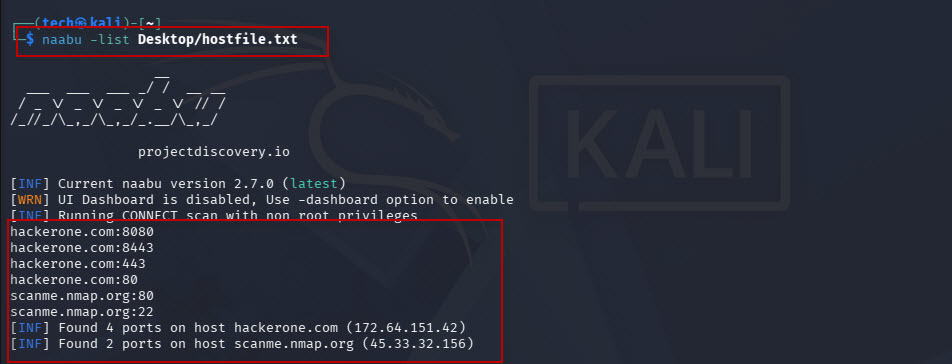
Naabu will read the hosts from the specified file and scan them for open ports.
10. Show Results in JSON Format
You can generate output in JSON Lines format using the -json option.
naabu -host scanme.nmap.org -json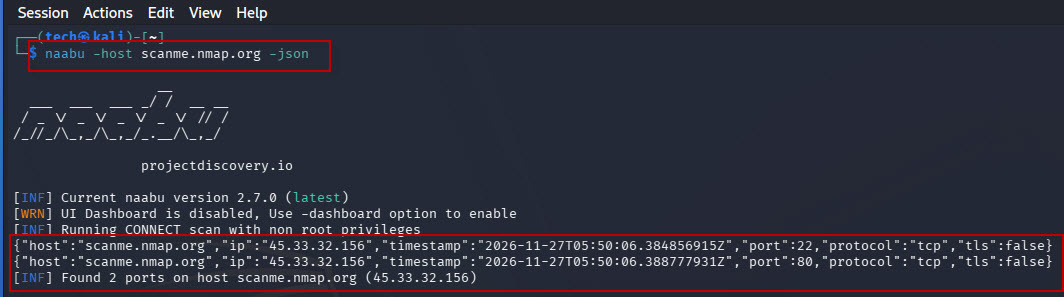
This displays the scan results in JSON format.
11. Perform Service Detection
Naabu can also integrate with Nmap to perform additional service detection.
Use the -sV option:
naabu -host scanme.nmap.org -sV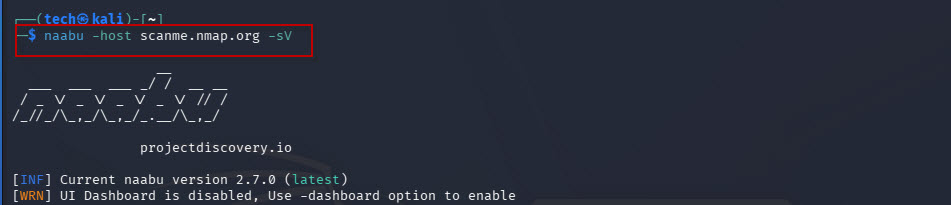

This enables service and version detection through Nmap integration. Make sure Nmap is installed and available on your system.
12. Save Scan Results to a File
If you want to save the port scanning results to a text file instead of displaying them only in the terminal, use the -o option.
naabu -host scanme.nmap.org -o Desktop/outputfile.txt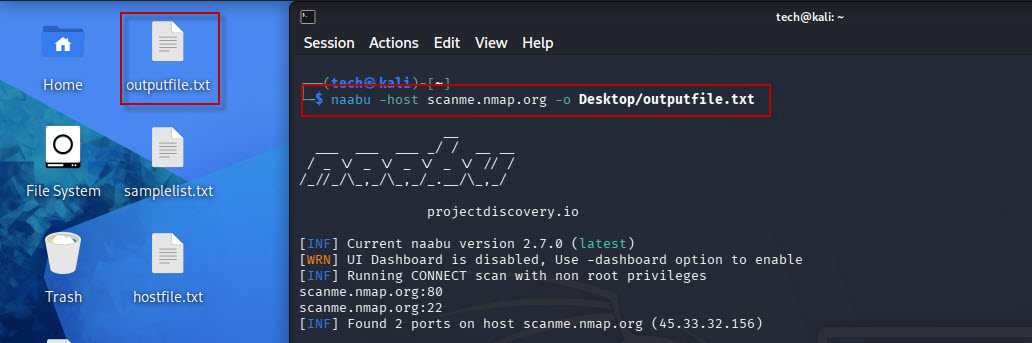
This command scans the specified host and saves the scan results in a file named outputfile.txt inside the Desktop directory.
13. Display Only Scan Results
If you want to display only the scan results without additional information or progress messages, use the -silent option.
naabu -host scanme.nmap.org -silent
This is particularly useful when integrating Naabu with other command-line tools or automated scripts.
Conclusion
Naabu is a useful and lightweight port scanning tool for penetration testers and security researchers. Its fast scanning capabilities, support for different input formats, JSON output, and Nmap integration make it a valuable addition to the reconnaissance toolkit.
In this tutorial, we covered how to install Naabu on Kali Linux 2026.2 and explored several commands for scanning specific ports, top ports, and multiple hosts.
If you are learning network reconnaissance or performing web application security testing, Naabu can help you quickly identify open ports before moving on to more detailed service analysis and vulnerability assessment.