
Metasploitable 2 is an intentionally vulnerable Linux virtual machine developed by Rapid7 for security testing and penetration testing practice. It contains deliberately configured vulnerabilities that help security learners understand common security weaknesses and practice identifying and exploiting them in a controlled lab environment.
In this tutorial, you will learn how to download Metasploitable 2, configure it in Oracle VirtualBox, start the virtual machine, and log in using its default credentials.
Prerequisites
Before installing Metasploitable 2, make sure you have the following:
- A Windows host computer.
- Oracle VirtualBox installed on your computer.
- An internet connection to download the Metasploitable 2 archive.
- Sufficient free disk space to extract the archive and run the virtual machine.
Step 1: Download Metasploitable 2
First, download the Metasploitable 2 virtual machine from one of the following sources:
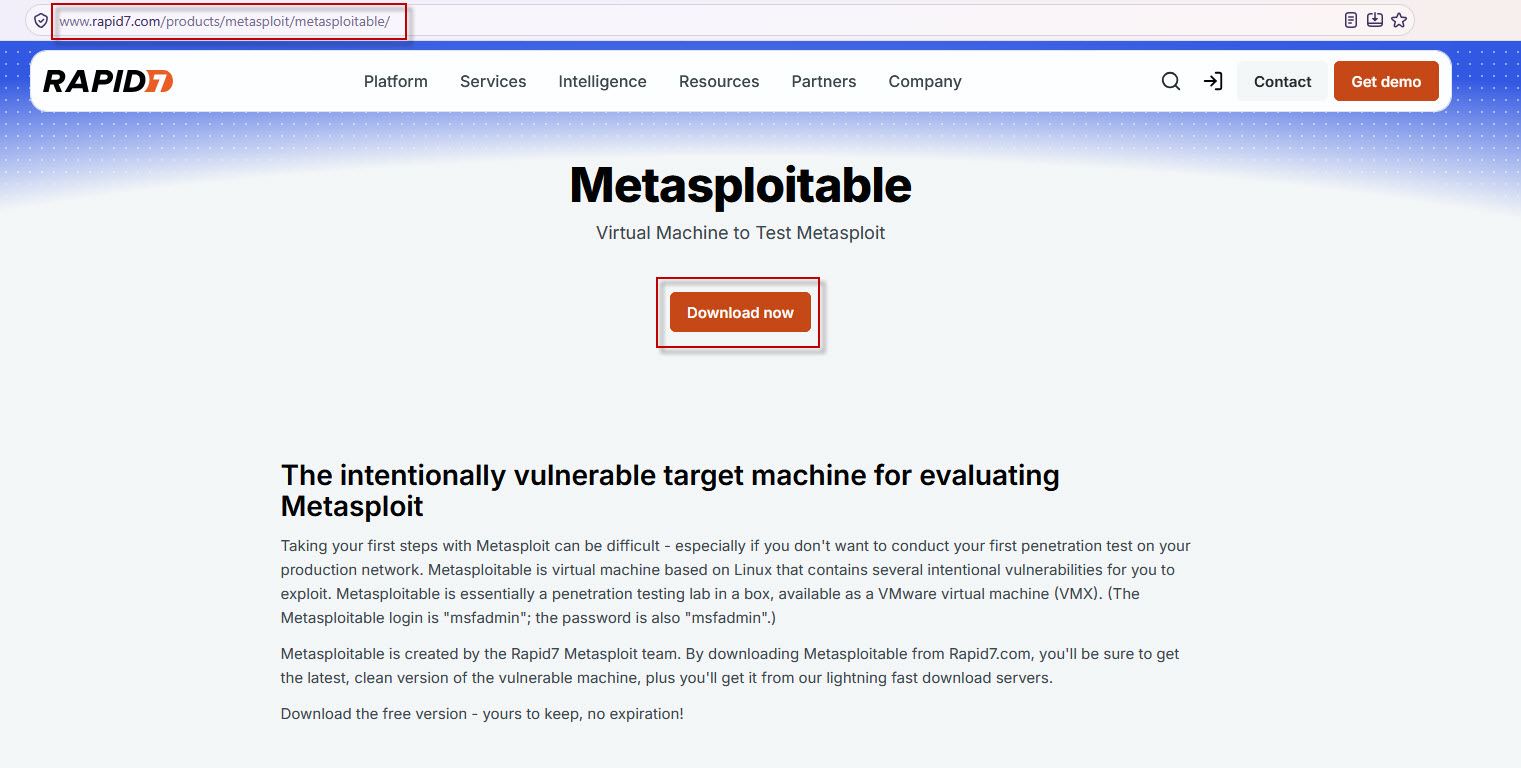
The downloaded archive is generally named metasploitable-linux-2.0.0.zip and is approximately 800–850 MB, although the exact size may vary.

After downloading the ZIP file:
- Right-click the downloaded archive.
- Select Extract All on Windows, or use your preferred archive extraction tool.
- Choose a suitable destination folder.
- Wait for the extraction process to finish.
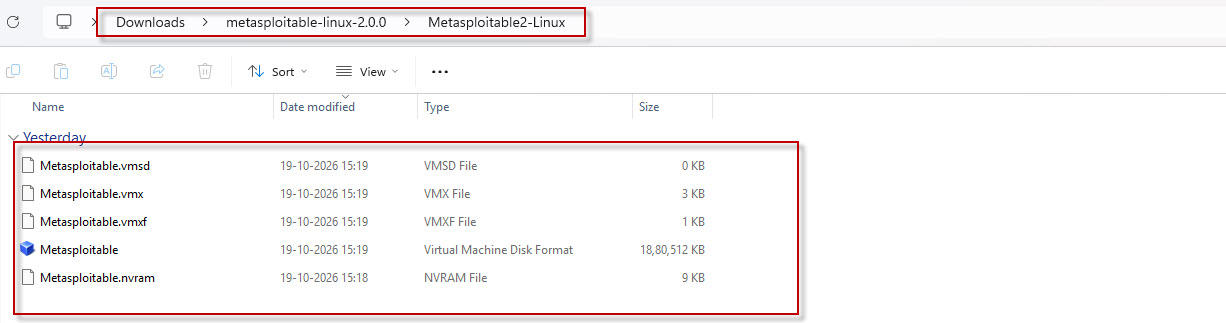
The extracted files occupy more space than the original archive. You should find the virtual machine files, including a virtual hard disk file with the .vmdk extension.
Keep the extracted files in a permanent folder because VirtualBox will use the virtual disk file to run the machine.
Step 2: Create a New Virtual Machine in VirtualBox
Open Oracle VirtualBox Manager.
- Click New to create a virtual machine.
- Enter the following configuration:
Name: Metasploitable 2
Type: Linux
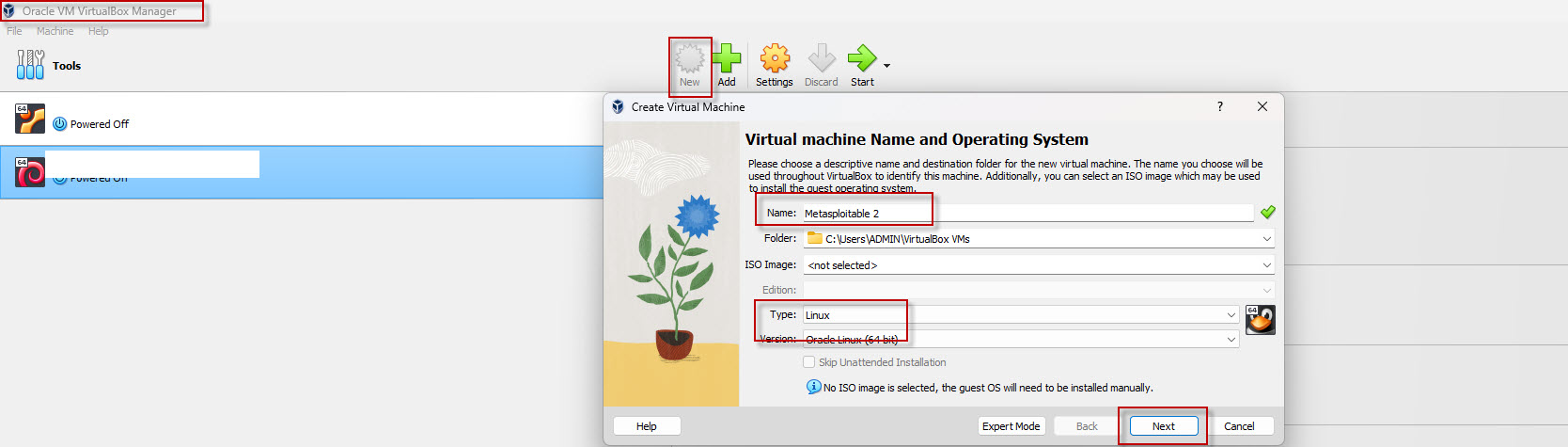
Click Next to continue.
Step 3: Configure Memory and Processors
Next, configure the virtual machine’s hardware resources.
Recommended settings for a basic lab:
- Base Memory (RAM): 1024 MB (1 GB) or 2048 MB (2 GB).
- Processors: 1 virtual CPU.
For a basic Metasploitable 2 lab, 1 GB of RAM and one virtual CPU are generally sufficient. You can allocate 2 GB of RAM if your host computer has enough available memory.
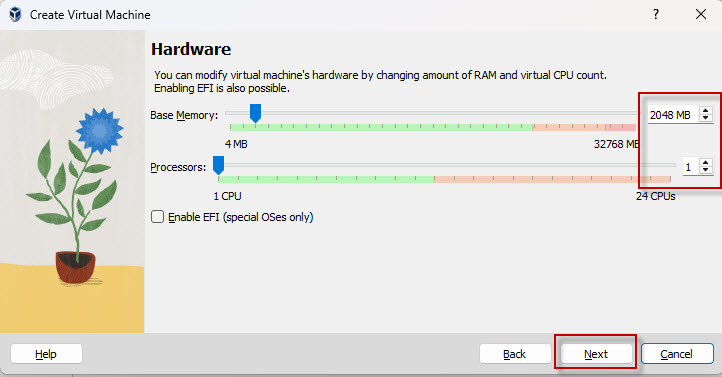
Click Next to continue.
Step 4: Select the Existing Virtual Hard Disk
Metasploitable 2 comes with a preconfigured virtual hard disk, so you do not need to create a new one or install Linux from an ISO file.
In the virtual hard disk section:
- Select Use an Existing Virtual Hard Disk File.
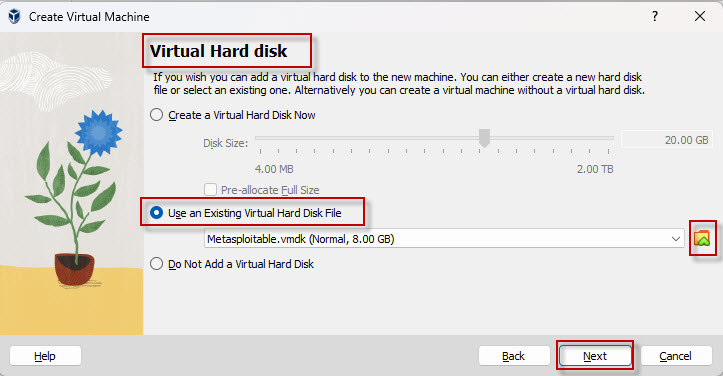
- Click the disk selection icon or drop-down menu to browse for a file.
- Navigate to the folder where you extracted the Metasploitable 2 archive.
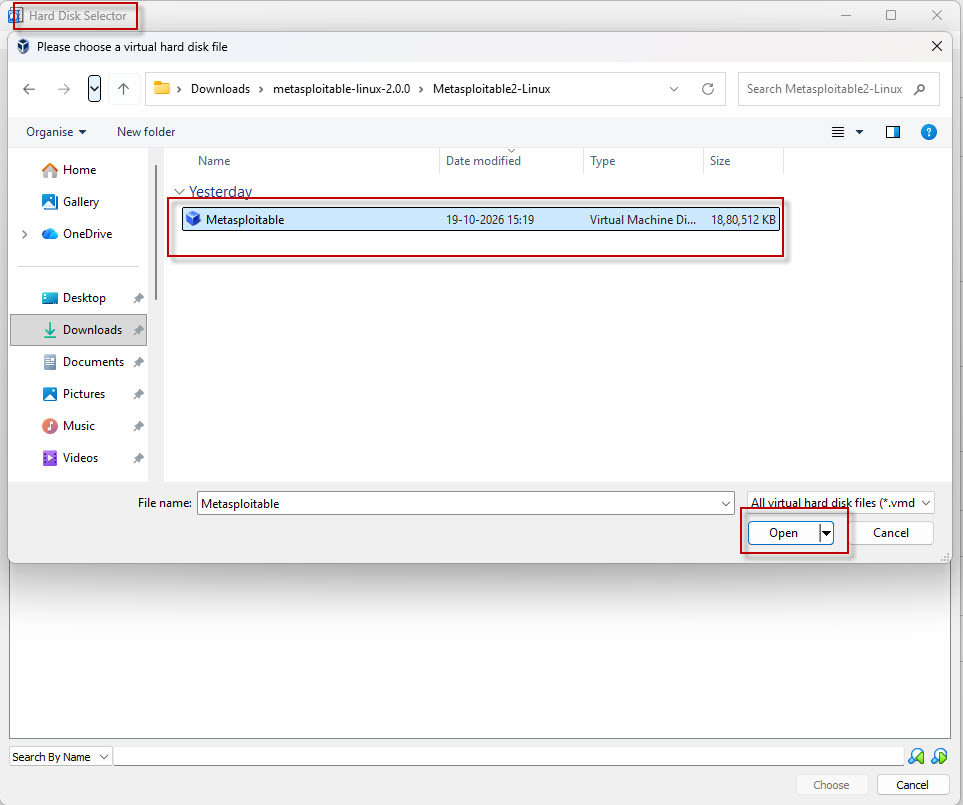
- Select the Metasploitable virtual disk file, typically named metasploitable.vmdk.
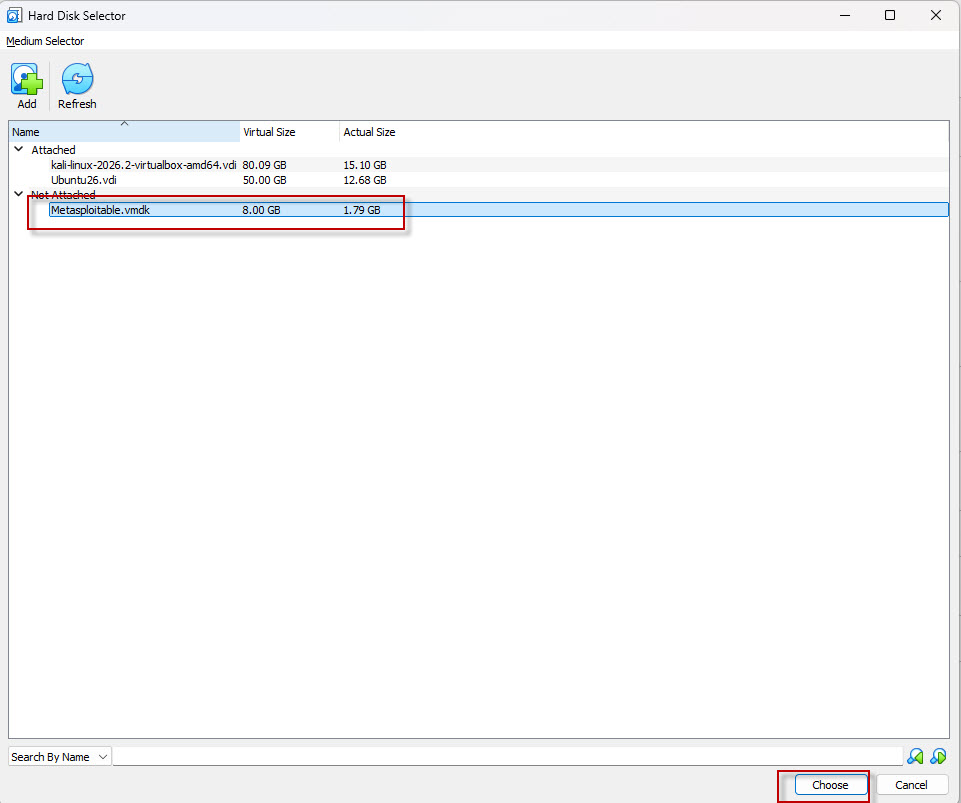
- Click Choose, Open, or the equivalent option displayed in your VirtualBox version.
- Confirm that the selected virtual disk appears in the configuration.
Click Next to proceed.
Step 5: Review the Configuration and Finish
Review the virtual machine configuration.
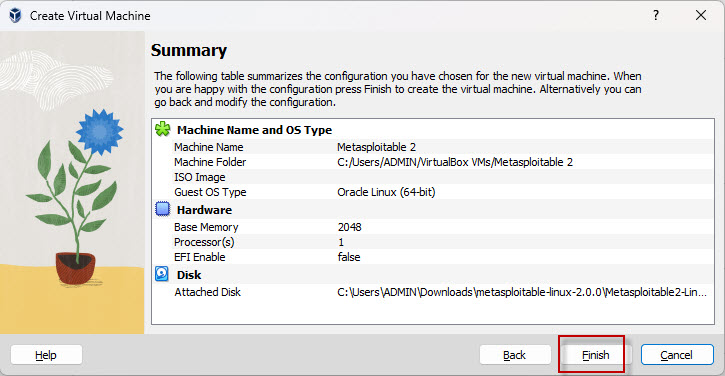
Click Finish to complete the virtual machine creation process.
Metasploitable 2 should now appear in the list of virtual machines in VirtualBox Manager.
Step 6: Start the VM
Before starting Metasploitable 2, configure its network settings carefully.
Because Metasploitable 2 is intentionally vulnerable, do not connect it directly to a public network or expose it to the internet.
Now select the Metasploitable 2 virtual machine and click Start.
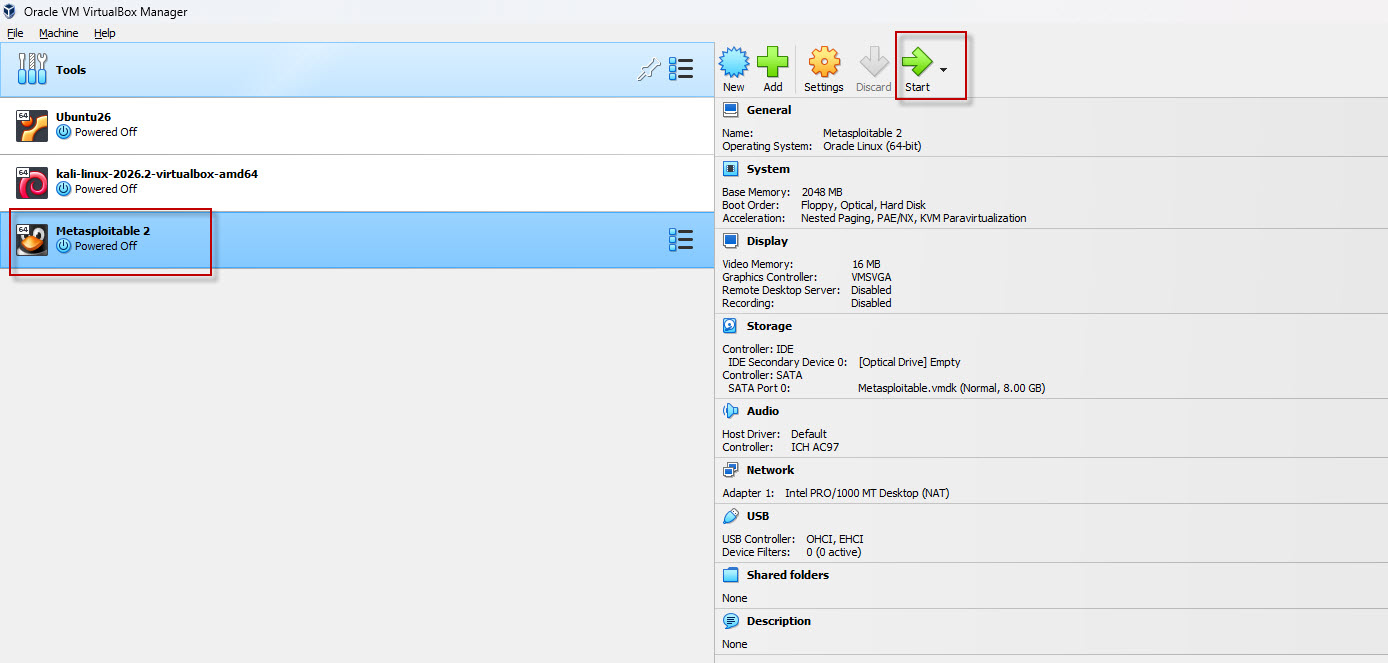
The virtual machine should boot into its Linux login screen.
Step 7: Log In to Metasploitable 2
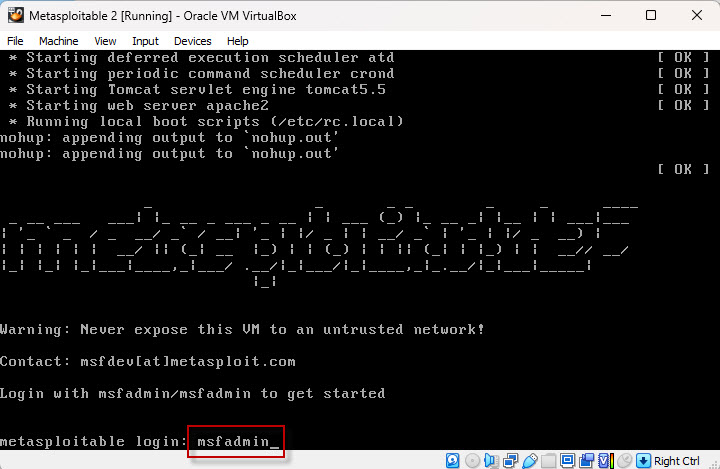
After the virtual machine starts, you will see a login prompt.
Metasploitable 2 uses the following default credentials:
Username : msfadmin
Password : msfadmin
To log in:
- At the login: prompt, type msfadmin and press Enter.
- At the Password: prompt, type msfadmin and press Enter.
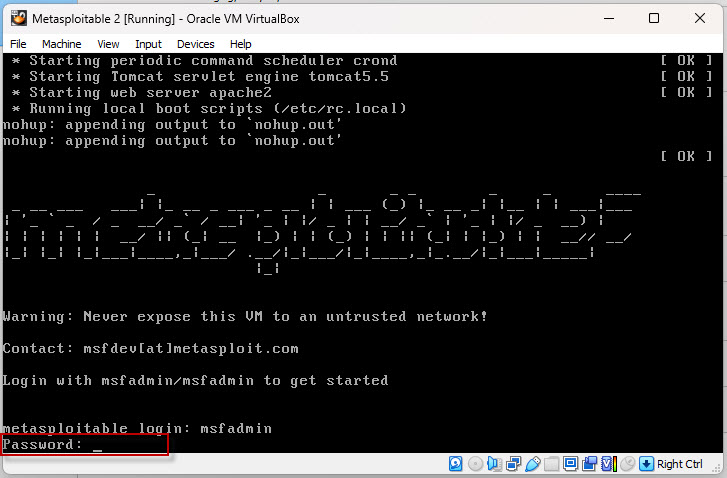
The password will not appear on the screen as you type. This is normal Linux terminal behavior.
After successful authentication, you should see the command-line shell.
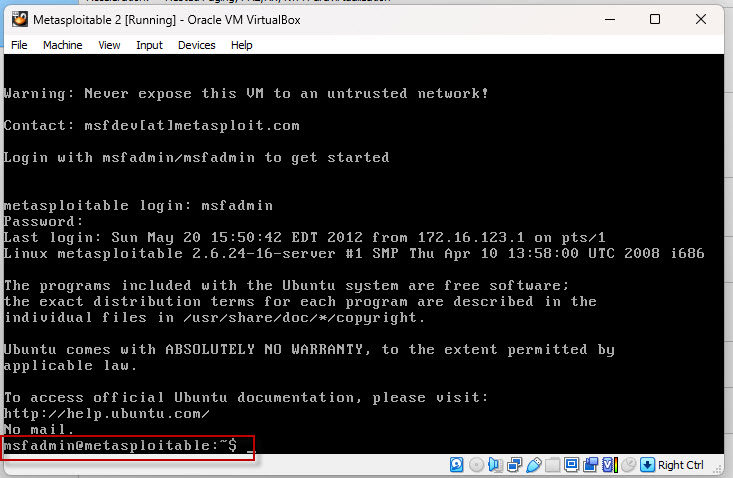
You have now successfully logged in to Metasploitable 2.
To identify its IP address.
At the command prompt, run:
ifconfig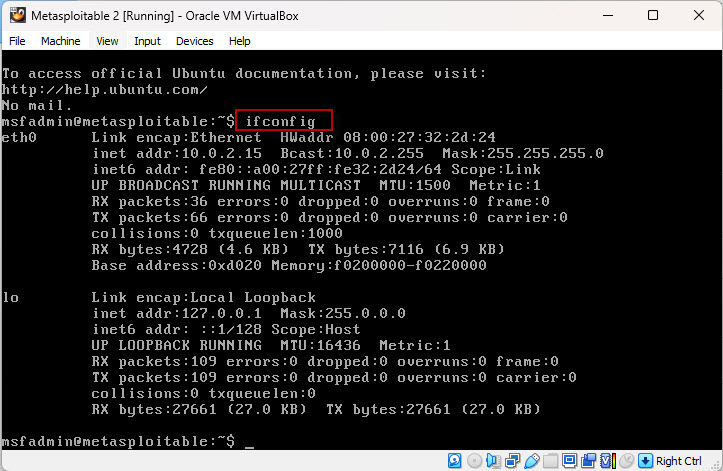
Look for the active network interface, commonly eth0, and locate its inet addr or IPv4 address field.
You can use Kali Linux as the testing machine and Metasploitable 2 as the target. Ensure both machines are connected to the same isolated VirtualBox network and that you have permission to test the target.
For another VirtualBox setup tutorial, read our guide: How to Install Kali Linux 2026.2 in VirtualBox.
Conclusion
You have successfully installed Metasploitable 2 in Oracle VirtualBox and learned how to log in using its default credentials.
Metasploitable 2 is a useful resource for beginners who want practical experience with vulnerability assessment, penetration testing, and the Metasploit Framework.
Note : Metasploitable 2 is deliberately vulnerable and uses publicly known default credentials. Keep it isolated from public and untrusted networks, and use it only in a controlled lab environment.