
Dirsearch is a web path scanning tool used to discover hidden directories and files on web servers. It is commonly used during web application vulnerability assessment and penetration testing (VAPT).
In this tutorial, you will learn how to install and use the Dirsearch tool in Kali Linux 2026.2 with commonly used commands.
1. Install Dirsearch in Kali Linux
Open the terminal in Kali Linux and enter:
dirsearch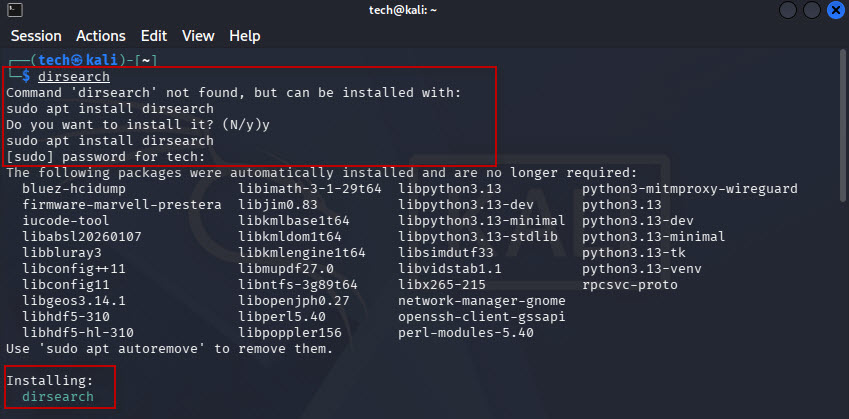
If Dirsearch is not installed, Kali Linux may offer to install it automatically. Type ‘y’ and press Enter, then enter your sudo password if prompted.
Alternatively, install it directly using:
sudo apt update
sudo apt install dirsearch
To view the help menu and available options, run:
dirsearch -h2. Basic Dirsearch Command
Use the following command to scan a web application:

dirsearch -u http://10.228.12.57/DVWA/
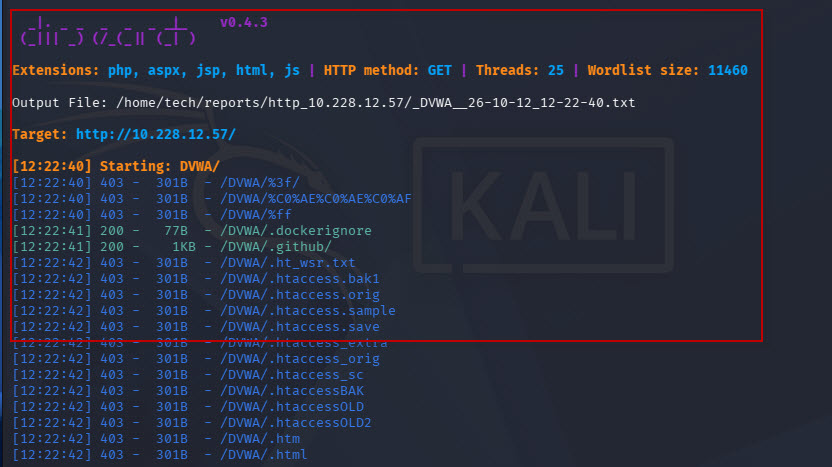
Command explanation:
- dirsearch : Runs the tool.
- -u : Specifies the target URL.
- http://10.228.12.57/DVWA/ : Example URL of the DVWA lab application.
Dirsearch uses its configured default wordlist and scanning options to discover potential directories and files.
Note: Replace the example URL with your own authorized testing target.
3. Scan Specific File Extensions
To discover files with a particular extension, use the ‘-e’ option.
For example, to scan for PHP files:
dirsearch -u http://10.228.12.57/DVWA/ -e php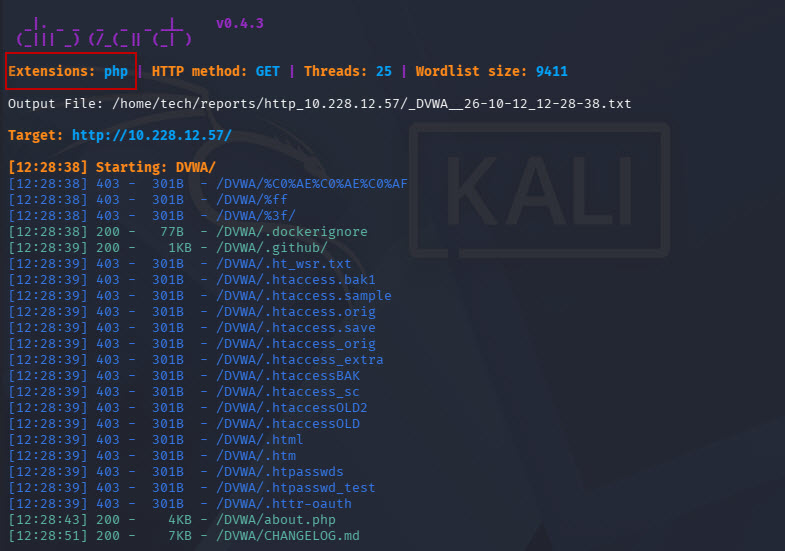
You can specify multiple extensions:
dirsearch -u http://10.228.12.57/DVWA/ -e php,html,txt4. Exclude HTTP Status Codes
Use the ‘-x’ option to exclude specific HTTP status codes from the results.
To exclude HTTP 301 and 403 responses:
dirsearch -u http://10.228.12.57/DVWA/ -e php -x 301,403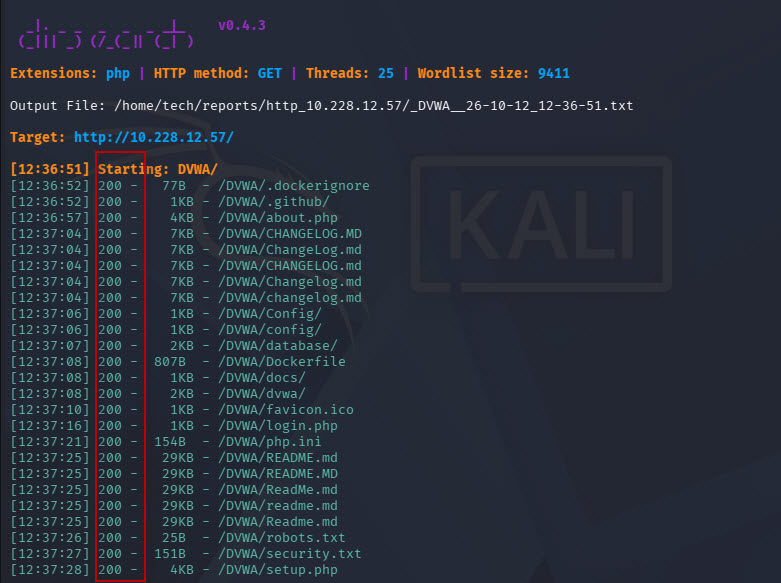
To exclude only HTTP 403 responses:
dirsearch -u http://10.228.12.57/DVWA/ -e php -x 403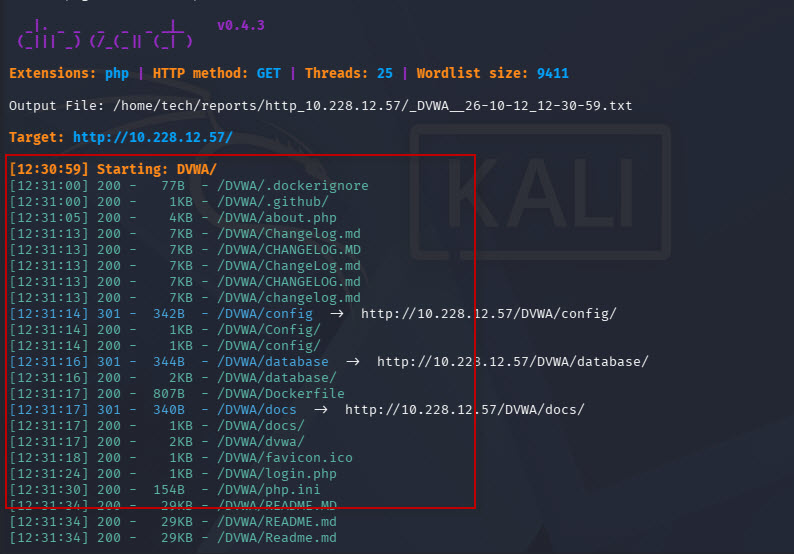
Common HTTP status codes:
- 200 – OK
- 301 – Moved Permanently
- 302 – Found (redirect)
- 403 – Forbidden
- 404 – Not Found
A 403 response can indicate an existing restricted resource, so do not automatically consider it unimportant during a security assessment.
5. Use a Custom Wordlist
Dirsearch allows you to specify a custom wordlist using the ‘-w’ option.
Example:
dirsearch -u http://10.228.12.57/DVWA/ -e php -x 301,403 -w /usr/share/dirbuster/wordlists/directory-list-2.3-medium.txt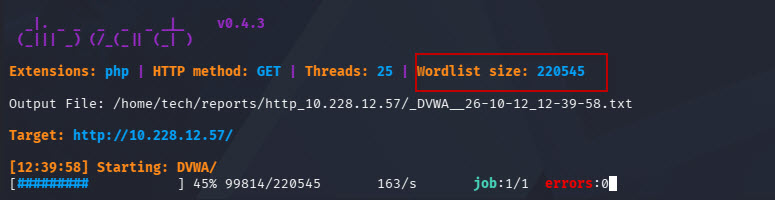
Other possible wordlist locations in Kali Linux include:/usr/share/wfuzz/wordlist/general/common.txt
These files may require their respective wordlist packages to be installed.You can choose your own wordlist file.
A smaller wordlist is useful for quick scans, while a larger wordlist may discover more paths but take longer to complete.
6. Perform Recursive Directory Scanning
To scan discovered directories recursively, use the ‘-r’ option.
dirsearch -u http://10.228.12.57/DVWA/ -e php -x 301,403 -r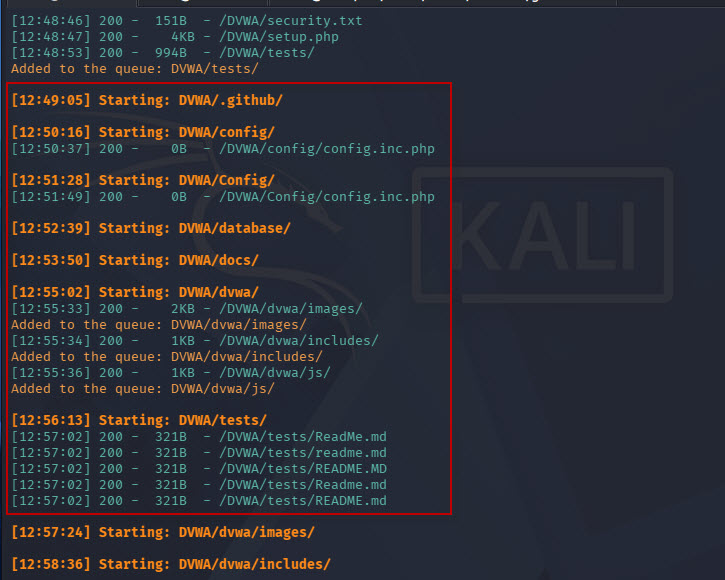
This command:
- Scans the specified web application.
- Tests PHP file extensions.
- Excludes HTTP 301 and 403 responses from the results.
- Enables recursive scanning of discovered directories.
Recursive scanning can generate additional HTTP requests, so use it carefully to avoid unnecessary load on the target server.
Conclusion
Dirsearch is a useful tool for web application security testing and penetration testing. Its commonly used options include:
- -u : Specify the target URL.
- -e : Specify file extensions.
- -x : Exclude HTTP status codes.
- -w : Use a custom wordlist.
- -r : Enable recursive scanning.
- -h : Display the help menu.
These commands help security testers discover web paths and identify resources that require further investigation. Always scan systems you own or have explicit permission to test.