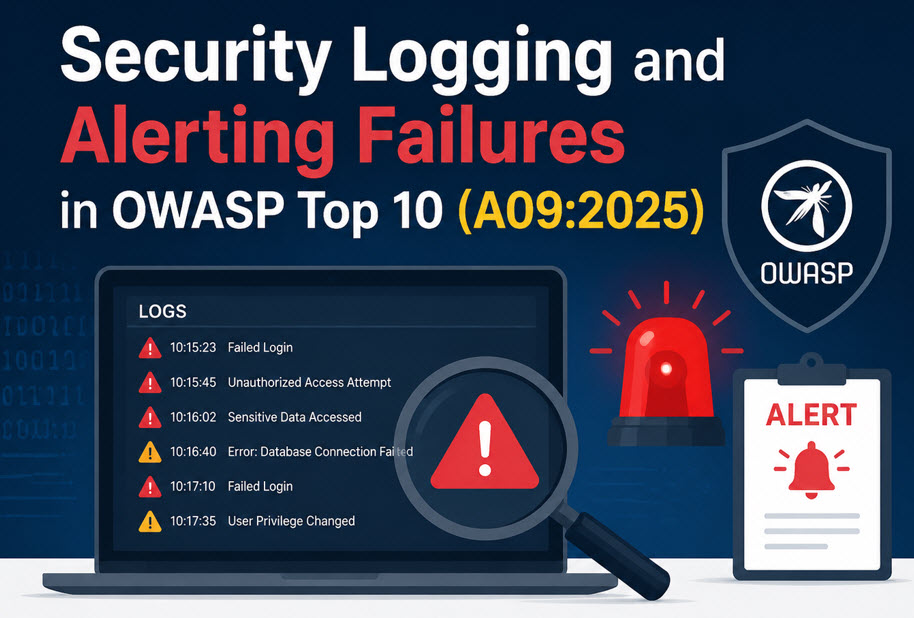
Security Logging and Alerting Failures is ranked A09 in the OWASP Top 10:2025. Even if an application has strong security controls, they become ineffective if attacks are not detected. Without proper logging, monitoring, and alerting, organizations may remain unaware of security incidents for months or even years, allowing attackers to steal sensitive information without interruption.
What are Security Logging and Alerting Failures?
Security Logging and Alerting Failures occur when an application fails to generate, monitor, protect, or respond to security-related events. If security logs are incomplete, poorly monitored, or easily manipulated, security teams cannot identify malicious activities or respond to incidents in time.
A secure application should not only prevent attacks but also detect and report suspicious behavior immediately.
Common Causes
The following issues commonly lead to Security Logging and Alerting Failures:
- Security logs are not monitored regularly.
- Log backups are not maintained properly.
- Successful and failed login attempts are not recorded.
- Error and warning messages are unclear or incomplete.
- Logs can be modified or deleted by attackers.
- No proper alerting or incident response process exists.
- Alerts generated by vulnerability scanners are ignored.
- The application cannot automatically create incident tickets for responders.
- Sensitive information such as passwords, credit card numbers, or personal data is stored in logs.
- Log data is not encoded or validated, making it vulnerable to injection or tampering attacks.
- Important security events are missing from log files.
- Excessive false-positive alerts overwhelm the Security Operations Center (SOC), causing real attacks to be overlooked.
Example
Consider an online shopping application that stores customer information such as credit card details, email addresses, and personal data.
An attacker compromises the application and continuously steals customer data over several years. Since login attempts, privilege changes, suspicious requests, and database activities are not properly logged or monitored, no alerts are generated.
Eventually, a third-party security audit discovers the breach. The incident could have been detected much earlier if the application had implemented proper logging, monitoring, and alerting mechanisms.
How to Prevent Security Logging and Alerting Failures
Organizations should follow these security best practices:
- Log all security-related events, including successful and failed logins, privilege changes, access to sensitive resources, and administrative actions.
- Ensure logs are centralized and easily ingested by a log monitoring platform.
- Protect logs from unauthorized modification or deletion.
- Avoid storing sensitive information such as passwords, authentication tokens, or payment details in log files.
- Continuously monitor logs for suspicious user behavior and unusual activities.
- Create incident response playbooks so SOC teams can investigate and respond quickly.
- Configure automatic ticket creation for security incidents.
- Reduce false positives by fine-tuning detection rules.
- Use SIEM and log monitoring solutions such as ELK (Elasticsearch, Logstash, and Kibana) to collect, analyze, and generate real-time security alerts.
Commonly Mapped CWEs
The following Common Weakness Enumerations (CWEs) are commonly associated with Security Logging and Alerting Failures:
- CWE-221 – Information Loss or Omission
- CWE-223 – Omission of Security-Relevant Information
- CWE-532 – Insertion of Sensitive Information into Log File
- CWE-778 – Insufficient Logging
Security Logging and Alerting Failures are often overlooked but play a critical role in incident detection and response. Without proper logging, monitoring, and alerting, even sophisticated security controls cannot detect ongoing attacks. Organizations should implement centralized logging, real-time monitoring, secure log storage, and effective incident response procedures to identify threats quickly and minimize the impact of security breaches.
For more information, visit the official OWASP Top 10 project at https://owasp.org/www-project-top-ten/.