
ExifTool is one of the most powerful and widely used metadata analysis tools in Kali Linux. While basic metadata extraction is useful, advanced ExifTool commands allow security professionals, OSINT researchers, and digital forensics analysts to extract, modify, compare, and sanitize metadata efficiently.
This article is a continuation of your earlier work “Using ExifTool in Kali Linux for Metadata Extraction” and focuses on advanced and practical ExifTool commands, explained in a clear, SEO-friendly manner.
1. Fetch Metadata from All JPG Files
$ exiftool *.jpg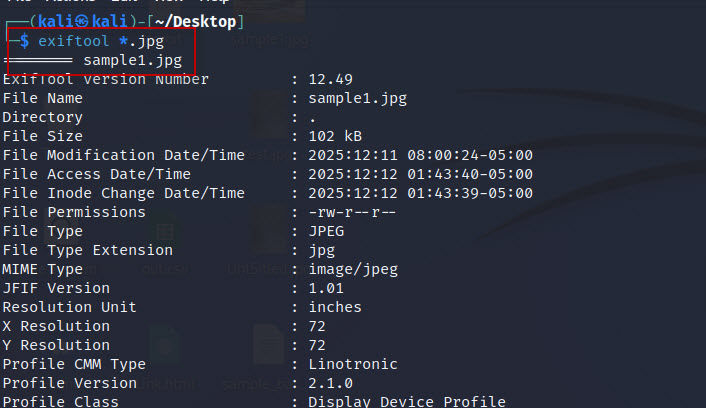
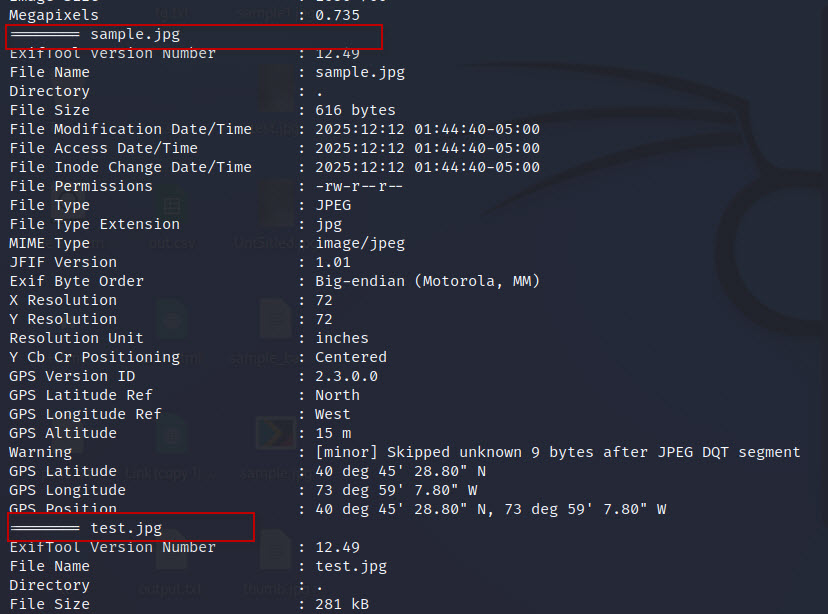
This command extracts metadata from all JPEG files in the current directory. It is useful when analyzing large image collections during forensic investigations or OSINT tasks.
2. Extract Metadata Recursively from a Folder
$ exiftool -r Exiffolder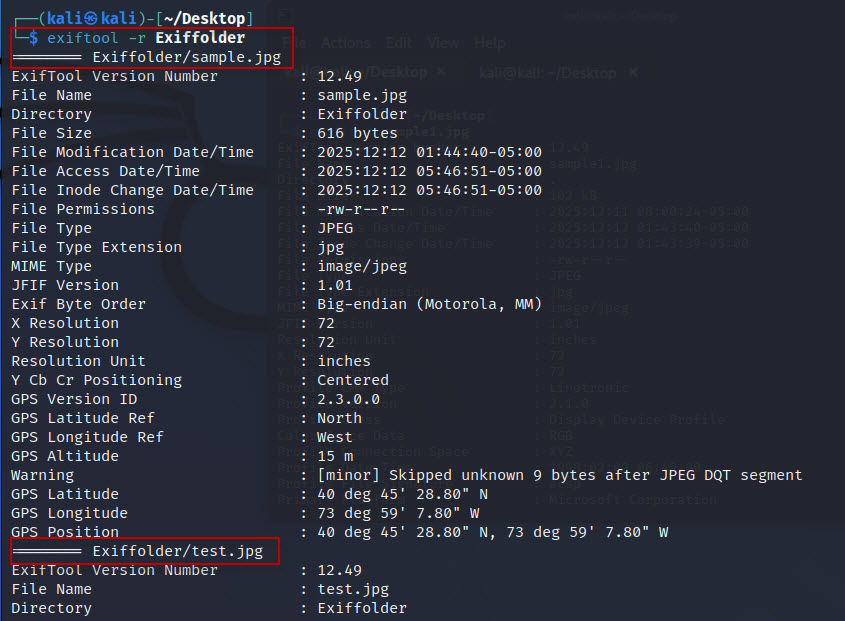
The -r (recursive) option scans all files and subfolders inside Exiffolder. This is extremely helpful when working with evidence directories or bulk image datasets.
3. Search Metadata Using GPS Keyword
$ exiftool sample.jpg | grep GPS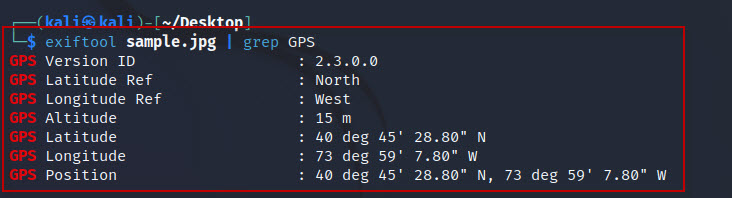
This command filters metadata output using the GPS keyword. It helps quickly identify location-related information, which is critical for privacy audits and investigations.
4. Display Only GPS Metadata
$ exiftool -gps:all sample.jpg
The -gps:all option shows only GPS-related metadata, such as latitude, longitude, altitude, and timestamps. This command is widely used to detect location leaks.
5. Add GPS Coordinates to an Image
$ exiftool -GPSLatitude=37.7749 -GPSLatitudeRef=N -GPSLongitude=122.4194 -GPSLongitudeRef=W sample1.jpg
This command adds custom GPS coordinates to an image. It is useful for testing forensic tools or simulating location-based metadata.
Verify Added GPS Metadata
$ exiftool sample1.jpg
6. Remove GPS Metadata from an Image
$ exiftool -gps:all= sample1.jpg
The = sign deletes all GPS tags from the image. This step is essential for privacy protection before sharing images online.
Verify Removal
$ exiftool sample1.jpg7. Compare Metadata of Two Image Files
$ exiftool -a -G1 -s sample1.jpg > meta1.txt
$ exiftool -a -G1 -s sample.jpg > meta2.txt
$ diff meta1.txt meta2.txt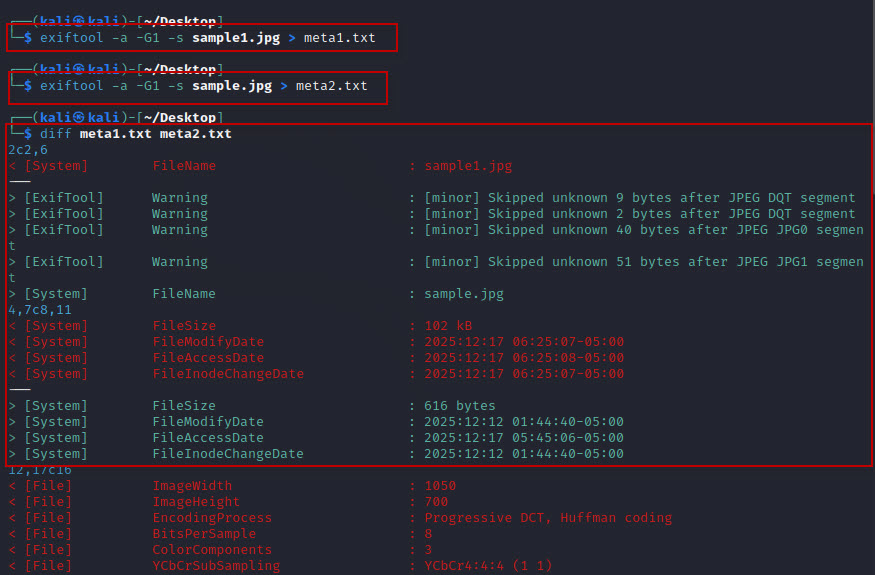
These commands export metadata into text files and compare them using diff.
-a→ shows duplicate tags-G1→ groups metadata by category-s→ displays short tag names
This technique is commonly used in digital forensics to identify modifications or tampering.
8. Automate Metadata Editing with ExifTool Bash Script
Create a Bash Script
$ nano exifbash.sh
Script Content
#!/bin/bash
for file in *.jpg; do
exiftool -Artist="test tag bash script" "$file"
done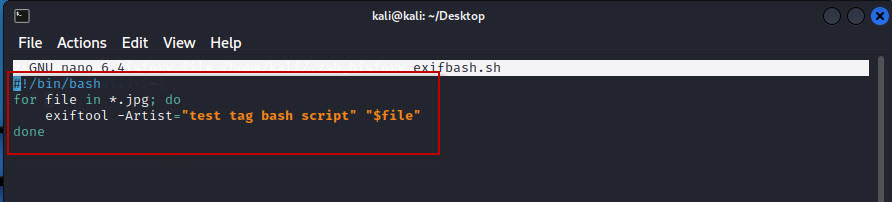
This script automatically writes a custom Artist tag to every JPG file in the directory.
Permission Error Fix
If you encounter:
./exifbash.sh: permission denied
Grant execution permission:
$ chmod +x exifbash.sh
Execute the Script
$ ./exifbash.sh
Verify the Changes
$ exiftool test.jpg | grep Artist
9. List All Supported File Formats
$ exiftool -listf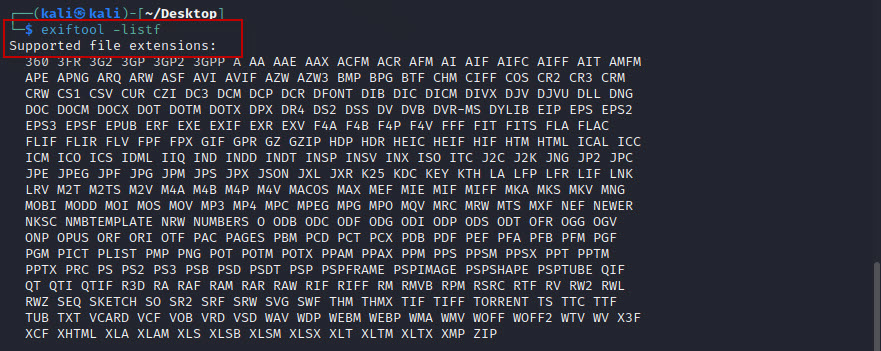
This command displays all file formats supported by ExifTool, including images, videos, PDFs, and documents.
10. Check Installed ExifTool Version
$ exiftool -ver
Ensures compatibility and helps during troubleshooting or documentation.
11. Display Metadata in JSON Format
$ exiftool -j sample1.jpg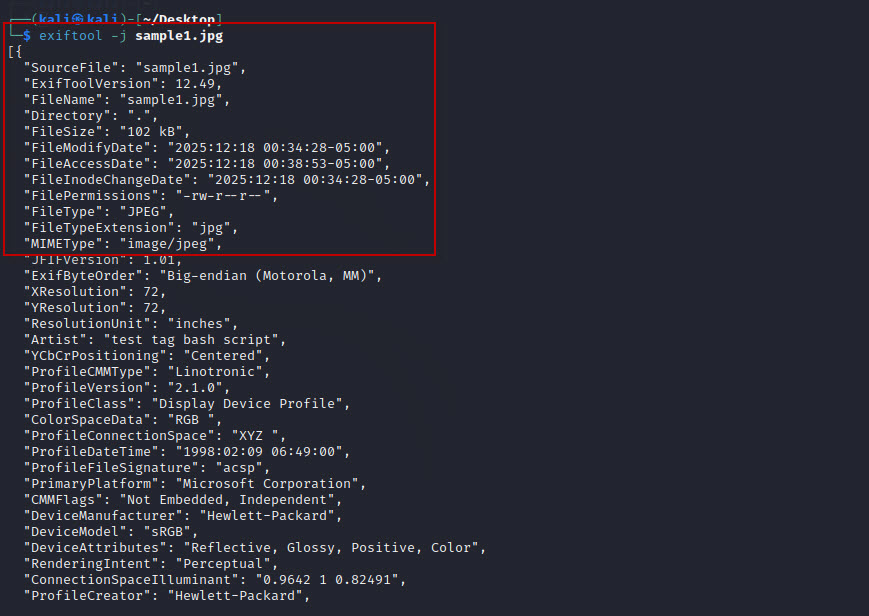
The -j option outputs metadata in JSON format, ideal for scripting, automation, and forensic data analysis.
12. Remove All Metadata Without Backup
$ exiftool -overwrite_original -all= test2.jpg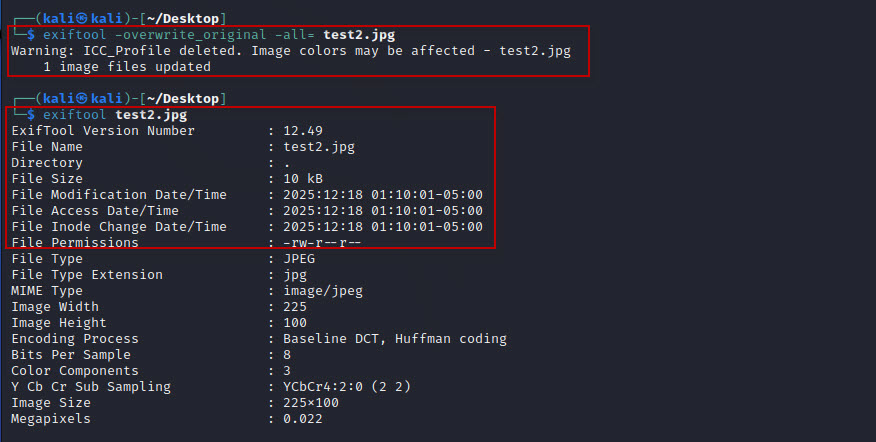
This command:
- Deletes all metadata
- Prevents creation of backup files
- Is irreversible without external backups
Verify Metadata Removal
$ exiftool test2.jpg13. Display Hidden, Duplicate, and Unknown Metadata
$ exiftool -u -a -g1 sample1.jpg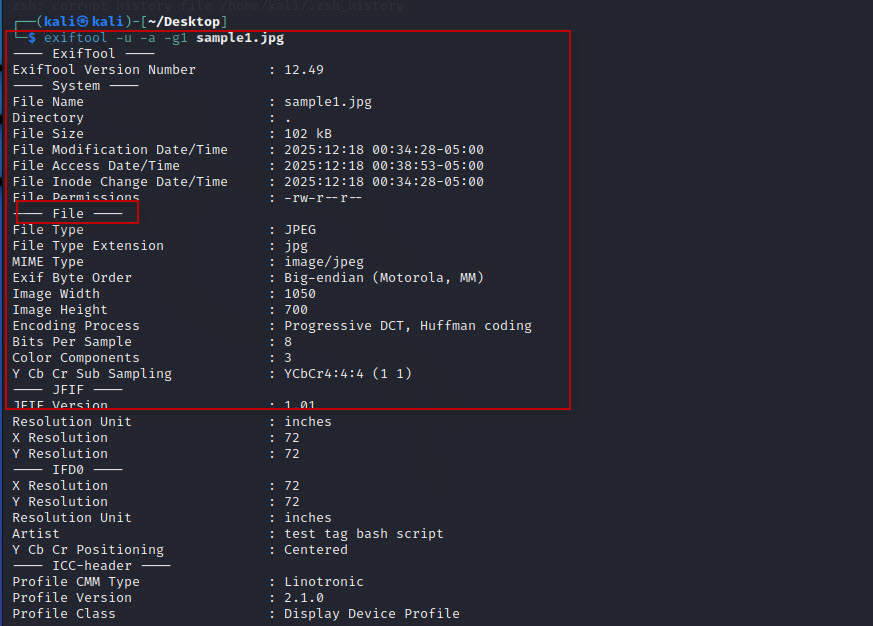
Explanation of options:
-u→ shows unknown tags-a→ displays duplicate tags-g1→ groups metadata for readability
This is one of the most powerful forensic analysis commands in ExifTool.
Advanced ExifTool commands in Kali Linux provide complete control over metadata extraction, modification, comparison, and removal. Whether you are a cybersecurity professional, forensic analyst, or privacy-conscious user, mastering these commands significantly enhances your investigation and data sanitization workflow.
By combining automation, JSON output, GPS handling, and deep metadata analysis, ExifTool becomes an indispensable tool in any Kali Linux environment.









1 Comment
Comments are closed.