DMitry (Deepmagic Information Gathering Tool) is a popular and lightweight information-gathering utility available in Kali Linux. It is mainly used during the reconnaissance phase of ethical hacking and penetration testing to collect essential details about a target host quickly and efficiently.
DMitry comes pre-installed in Kali Linux, making it easily accessible for beginners and professionals who want to perform basic footprinting without installing additional tools.
What is DMitry?
DMitry stands for Deepmagic Information Gathering Tool. It is designed to gather as much publicly available information as possible about a target domain or IP address. The tool combines multiple reconnaissance techniques into a single command-line interface.
With DMitry, you can collect:
- Open TCP ports
- Whois information
- Netcraft data
- Subdomain details
- Email addresses
- Basic host information
Because of its simplicity and speed, DMitry is often used as a first step in information gathering.
How to Access DMitry in Kali Linux
You can run DMitry in two different ways:
1. Using the Terminal
Open the terminal in Kali Linux and type:
$ dmitry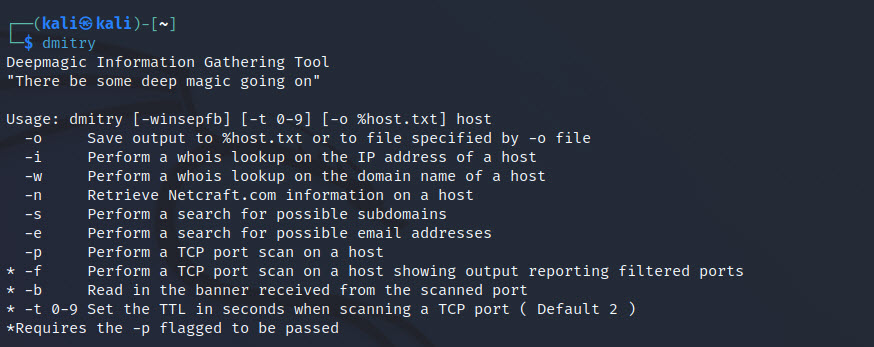
This command displays the usage and available options.
2. Using the GUI Menu
Navigate through:
Applications > Information Gathering > dmitry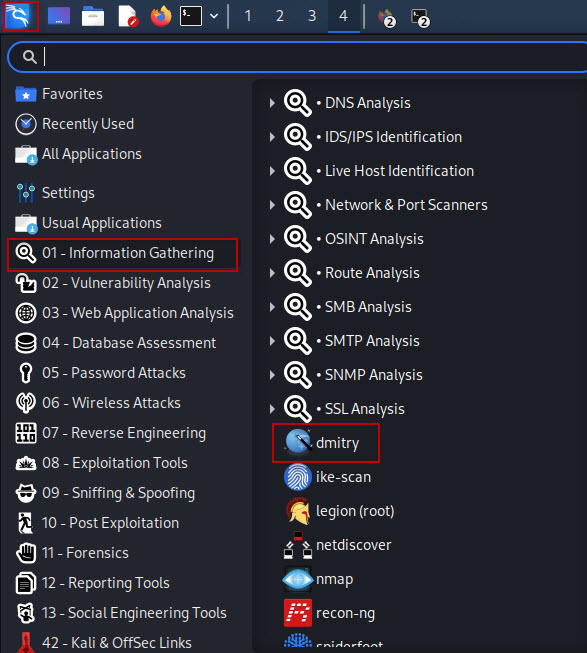
Basic DMitry Commands and Usage
Below are some commonly used DMitry commands for basic reconnaissance:
1. Port Scan
$ dmitry -p scanme.org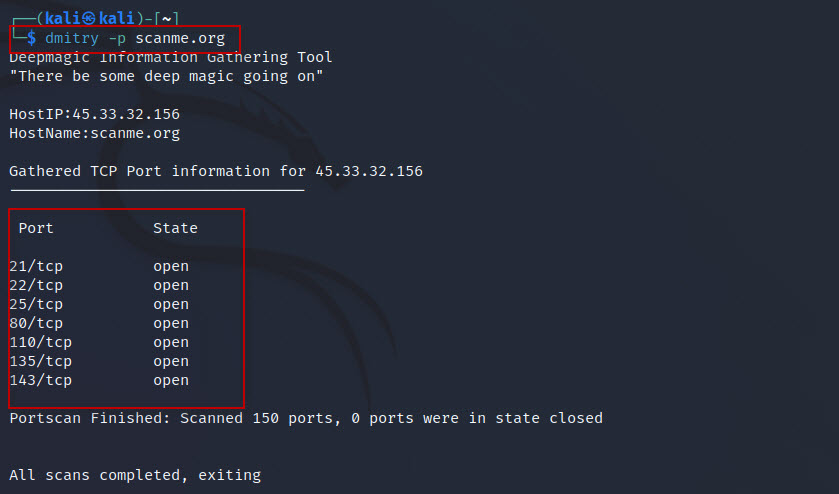
This command performs a basic TCP port scan on the target domain.
2. Port Scan with Banner Grabbing
$ dmitry -pb scanme.org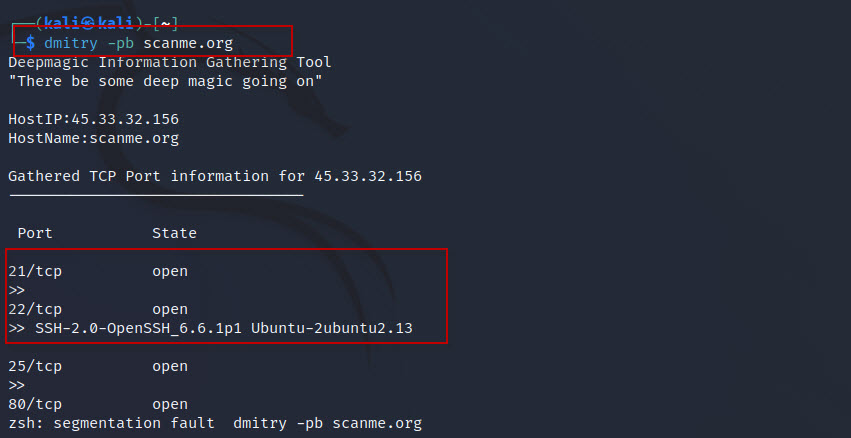
3. Port Scan and Save Output to File
$ dmitry -po scanme.org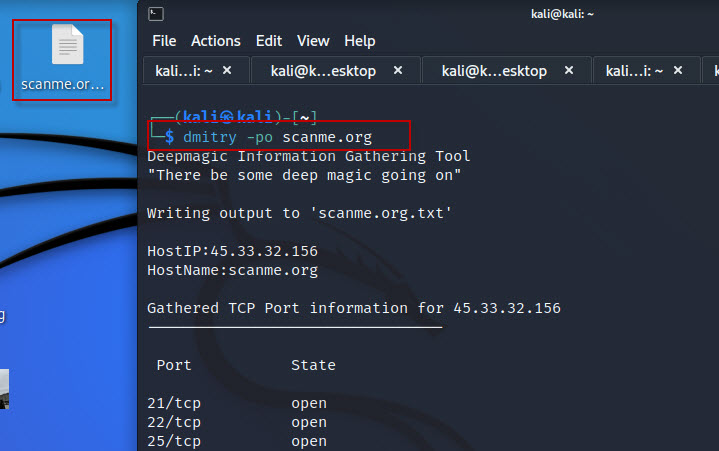
The -o option saves the TCP port scan results to an output file.
4. Whois Lookup
$ dmitry -w scanme.org
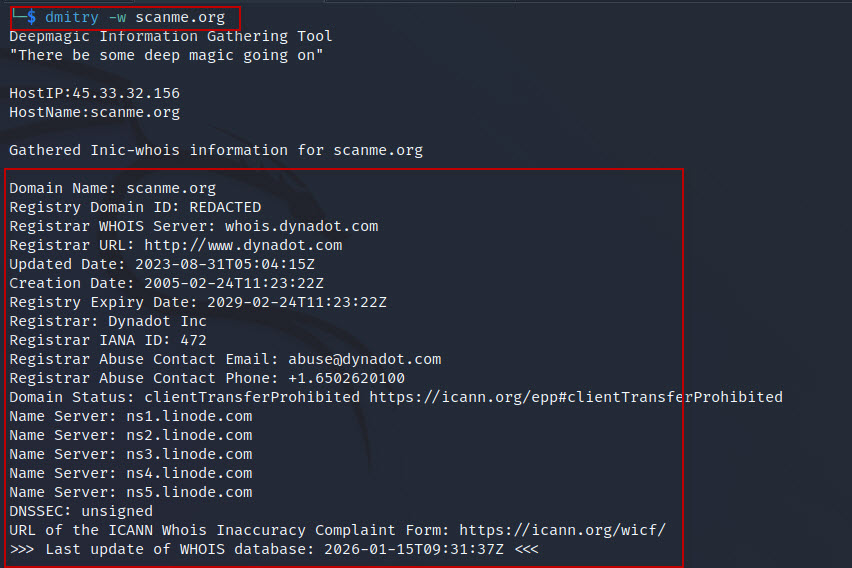
This command retrieves Whois information related to the target domain.
5. Full Information Gathering with Output File
$ dmitry -winsepfb -o example.com
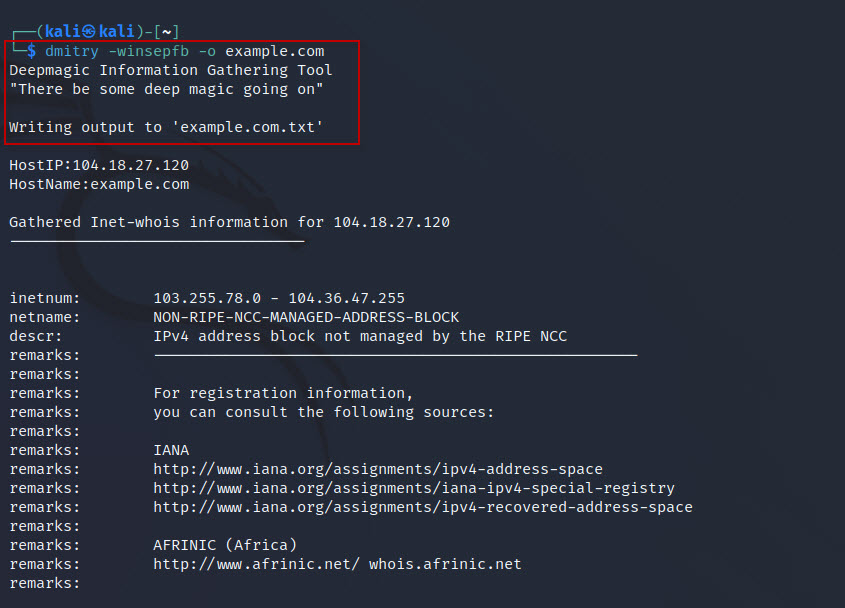
This command performs multiple reconnaissance functions, including:
- Whois lookup
- IP information
- Netcraft data
- Subdomain search
- Email harvesting
- Port scanning
- Banner grabbing
The results are saved in a file named:
example.com.txtWhy Use DMitry in Kali Linux?
- Pre-installed and ready to use
- Fast and lightweight
- Ideal for beginners in ethical hacking
- Useful for initial reconnaissance
- Supports output saving for reports
DMitry is a simple yet powerful information gathering tool in Kali Linux. It helps ethical hackers and cybersecurity learners collect valuable target data during the reconnaissance phase. While it is not as advanced as some modern tools, DMitry remains an excellent starting point for basic footprinting and understanding how information gathering works in penetration testing.