In today’s cybersecurity landscape, building a custom SIEM (Security Information and Event Management) system requires a stack of flexible, efficient, and scalable tools. One of the core components for developing backend services, log processors, or real-time event dashboards in a SIEM platform is Node.js.
In this guide, we’ll walk you through how to install Node.js 18 on Ubuntu Desktop 22.04.5 LTS using NVM (Node Version Manager) — a recommended approach for managing multiple Node.js versions. We’ll also show you how to install PM2, a process manager perfect for running and monitoring Node.js-based SIEM services.
Why Use Node.js in a Custom SIEM?
Node.js plays a crucial role in custom SIEM environments for:
- Real-time log processing
- Building APIs to query threat data
- Developing dashboards or event visualization tools
- Writing automation and alerting scripts
- Handling concurrent log ingestion with event-driven architecture
Because Node.js is lightweight and non-blocking, it’s perfect for handling the high volume and velocity of logs common in cybersecurity environments.
Prerequisites
- Ubuntu Desktop 22.04.5 LTS (Jammy Jellyfish)
- sudo privileges
- Internet access
Step 1: Install NVM (Node Version Manager)
To keep your Node.js environment clean and flexible, we’ll use NVM. This allows you to install and switch between Node.js versions easily — ideal for development and testing in cybersecurity applications.
Open your terminal and run:
curl -o- https://raw.githubusercontent.com/nvm-sh/nvm/v0.40.3/install.sh | bash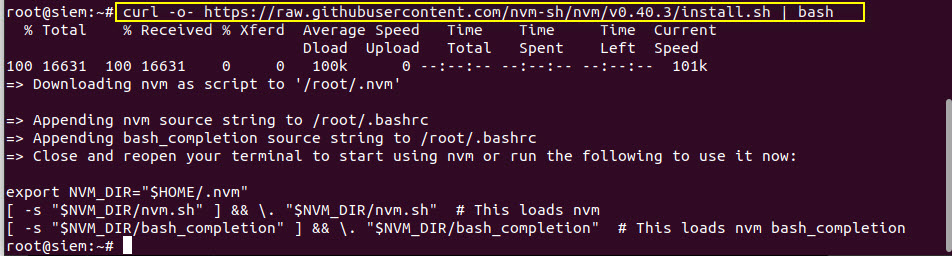
Explanation:
This command downloads and runs the official NVM installation script from GitHub.
Once done, either restart your terminal or run the following command to load nvm without restarting:
. "$HOME/.nvm/nvm.sh"
Now nvm is ready to use.
Step 2: Install Node.js 18 Using NVM
To install Node.js version 18 (which is stable and widely used in production), run:
nvm install 18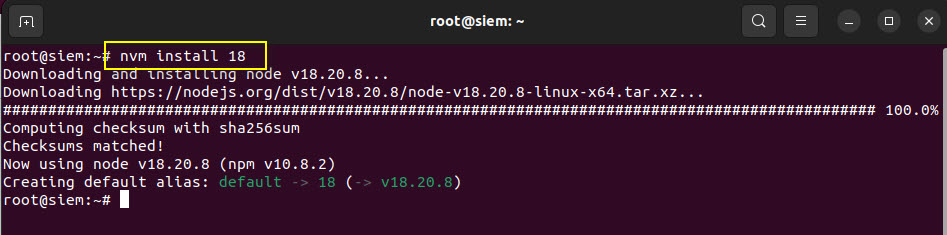
This installs both Node.js and npm (Node Package Manager).
Step 3: Verify Installation
After installation, verify that Node.js and npm are properly installed:
node -v
Expected output:
v18.20.8Check the npm version as well:
npm -v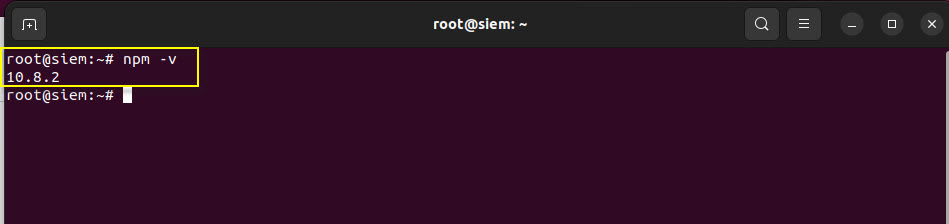
Expected output:
10.8.2These tools are essential for installing libraries and frameworks like Express, Socket.io, or security monitoring tools in your custom SIEM application.
Step 4: Install PM2 – Process Manager for Node.js
In a custom SIEM setup, you’ll likely need your Node.js services (like log parsers or API servers) to run continuously in the background. That’s where PM2 comes in.
Install PM2 globally using npm:
npm install -g pm2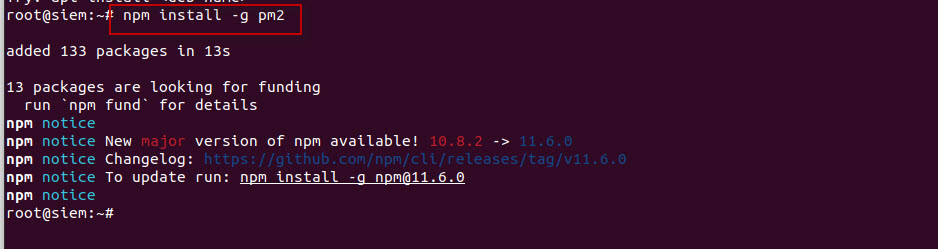
Check the installed version:
pm2 -v
You’ll see something like:
5.3.0Why PM2 for SIEM?
- Automatically restarts services if they crash
- Runs your Node.js apps as daemons
- Easy monitoring and logging
- Great for running multiple microservices like log collectors, threat APIs, etc.
Use Case Example: SIEM Log Ingestion Service
Once Node.js and PM2 are installed, you can begin writing your own SIEM microservices. For example:
- A log ingestion API built with Express.js
- A real-time alerting service that scans incoming logs for IoCs
- An automation tool to query MongoDB (previously installed) and send alerts
Run your service using PM2:
pm2 start app.jsReplace app.js with the entry point of your Node.js application.
PM2 will keep it running in the background — ideal for continuous monitoring tools in a SIEM platform.
Optional: Make PM2 Start on Boot
To make sure your services restart on system boot (important for production-grade SIEM systems):
pm2 startupFollow the printed instructions to configure your system’s startup scripts.
Then save the current process list:
pm2 saveSummary of Commands
| Task | Command |
|---|---|
| Install NVM | `curl -o- https://… |
| Load NVM | . "$HOME/.nvm/nvm.sh" |
| Install Node.js 18 | nvm install 18 |
| Verify Node | node -v |
| Verify npm | npm -v |
| Install PM2 | npm install -g pm2 |
| Verify PM2 | pm2 -v |
| Run app with PM2 | pm2 start app.js |
| Enable startup | pm2 startup + pm2 save |
Installing Node.js 18 on Ubuntu 22.04 using NVM is a smart choice for cybersecurity professionals building custom SIEM platforms. Whether you’re developing a log ingestion pipeline, building threat APIs, or automating alerts, Node.js provides the flexibility and performance you need.
Paired with PM2, you can ensure your critical services stay up and running — a must for any real-time security environment.